


solidcraft
★ 18.8kA self-hosted alternative to Autocad
About
Community Ratings
No ratings yetNew this week
Read recap →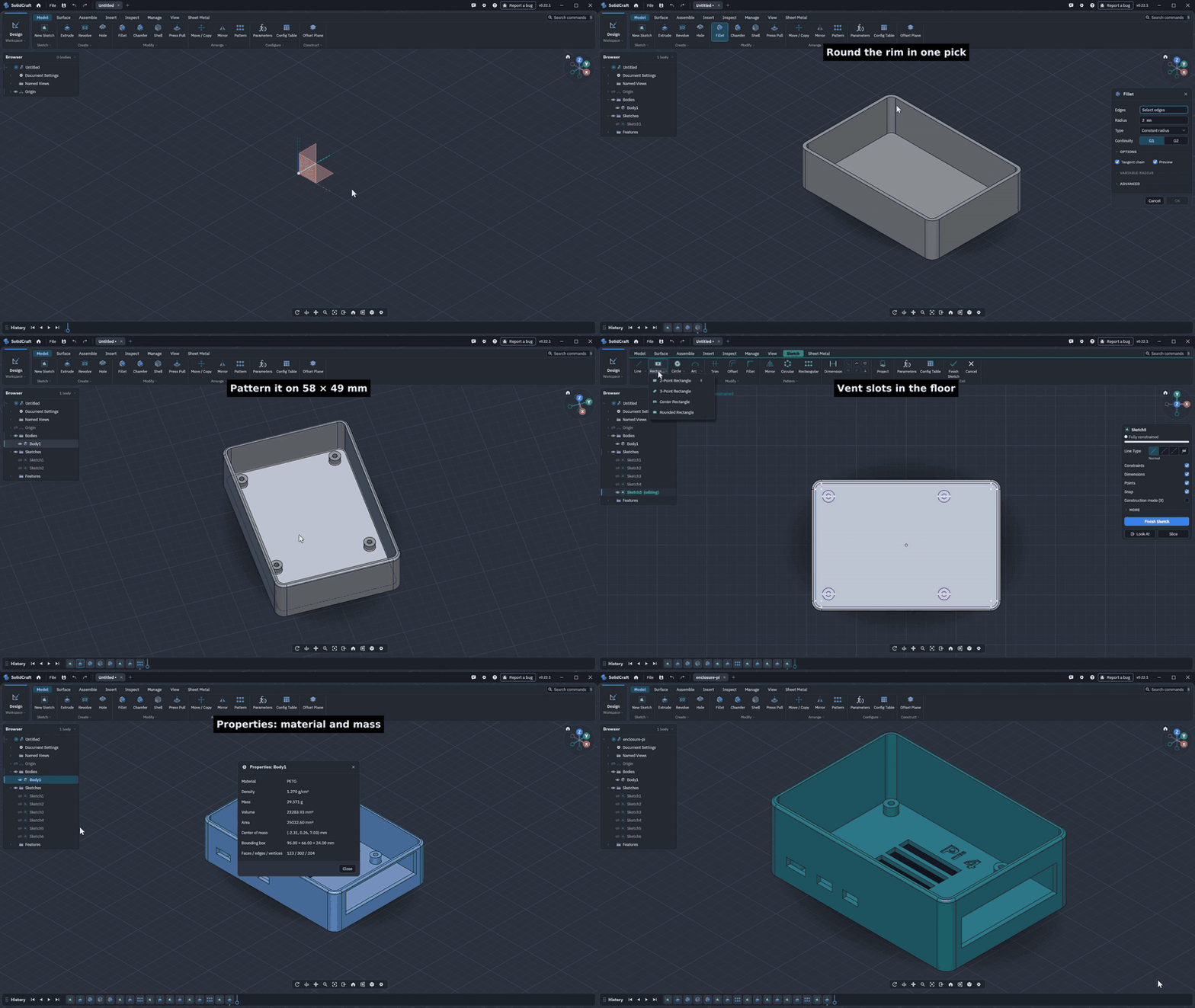
Features
- Constraint-driven sketches
- Parametric feature timeline
- Unit-aware parameters and configurations
- Assemblies, joints, and motion studies
- Sheet metal and plastic enclosure features
- Import and export of CAD and 3D formats
- Desktop, browser, and headless CLI interfaces
- MCP server for AI agent integrations
- Experimental WebAssembly plugins
- JSON command scripts and browser command API
Details
- Last Updated
- Nov 28, 2026
- Created
- Oct 7, 2026
- Install Methods
- binarysnapflatpakpackage-managersource
- Requirements
- Rust toolchain with Cargo to build from source
- Default Port
- 8080From the project's Compose file
- Backup & Export
- Native .sc design filesCAD-format file export
- Privacy & Independence
- Offline Capable
- Deployment
Deployment: Docker Compose ✓Single Container — minimal hosting footprintsingle container
Run solidcraft yourself
Pick how much you want to manage.
 HostingerSponsored
Full control
A small server, then Docker Compose.
About 20 minutes with Docker
 netcupBest match
Full control
A small server, then Docker Compose.
About 20 minutes with Docker
 Hetzner
Full control
A small server, then Docker Compose.
About 20 minutes with Docker
2 more ways to host


Some links earn us a commission. netcup pays us one and is our preferred VPS host. Hostinger is a paid sponsor and is listed first.
Is this your project? Sponsor a listing
Run solidcraft with Docker Compose
Compose file from the solidcraft project repository.
1 service
no resource limits declared
packaging/docker/compose.yaml · @ e3b1b2d · scanned Nov 26, 2026
# Self-host SolidCraft in the browser (see "Self-hosting with Docker" in the book's Getting started).
# From this folder, or from anywhere with -f packaging/docker/compose.yaml:
#
#   docker compose up -d             the published image from GitHub's container registry
#   docker compose pull && docker compose up -d     update to the latest release
#   docker compose up -d --build     build the image from this checkout instead
#
# SOLIDCRAFT_PORT picks the host port (default 8080). Saving designs needs HTTPS or localhost:
# on a server, put a TLS reverse proxy (Caddy, Traefik, nginx) in front of it.
name: solidcraft
services:
  solidcraft:
    image: ghcr.io/tangency-labs/solidcraft-web:latest
    build:
      context: ../..
      dockerfile: packaging/docker/Dockerfile
    ports:
      - "${SOLIDCRAFT_PORT:-8080}:8080"
    restart: unless-stopped
    read_only: true
    tmpfs:
      - /tmp
    security_opt:
      - no-new-privileges:true
    cap_drop:
      - ALL
This file may be out of date. Check the solidcraft documentation for current setup steps.
Track your self-hosted stack
Bookmark software to try, rate tools you've used, and keep your collection in one place.
Alternatives to solidcraft

FreeCAD

OpenSCAD

nurb

editor

GenCAD
Related Software

Manyfold

PrintStash

Thingport

Mainsail

CNCjs

Octoprint

Fluidd
