

PrintStash
★ 253About
Community Ratings
No ratings yetNew this week
Read recap →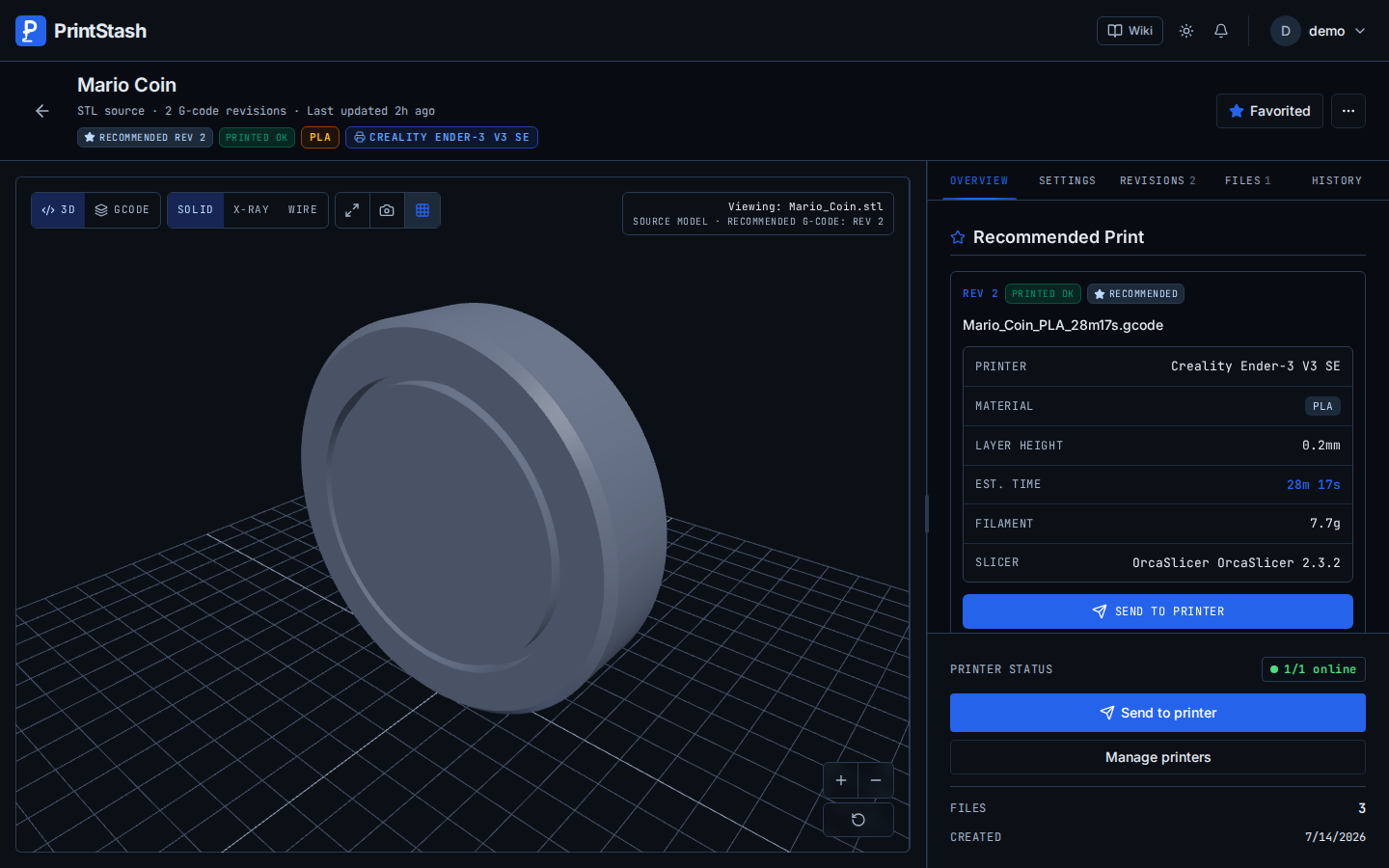
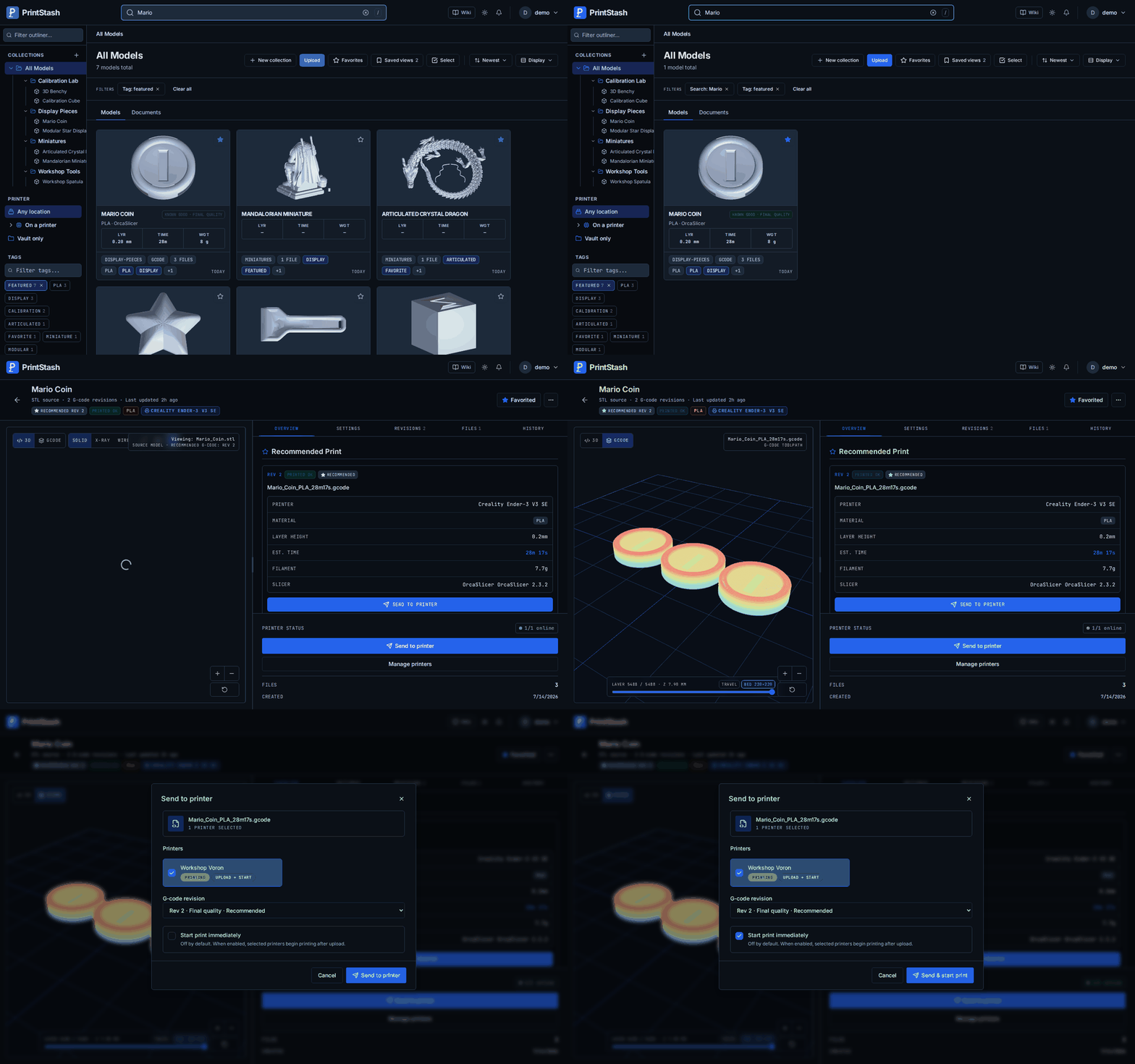
Features
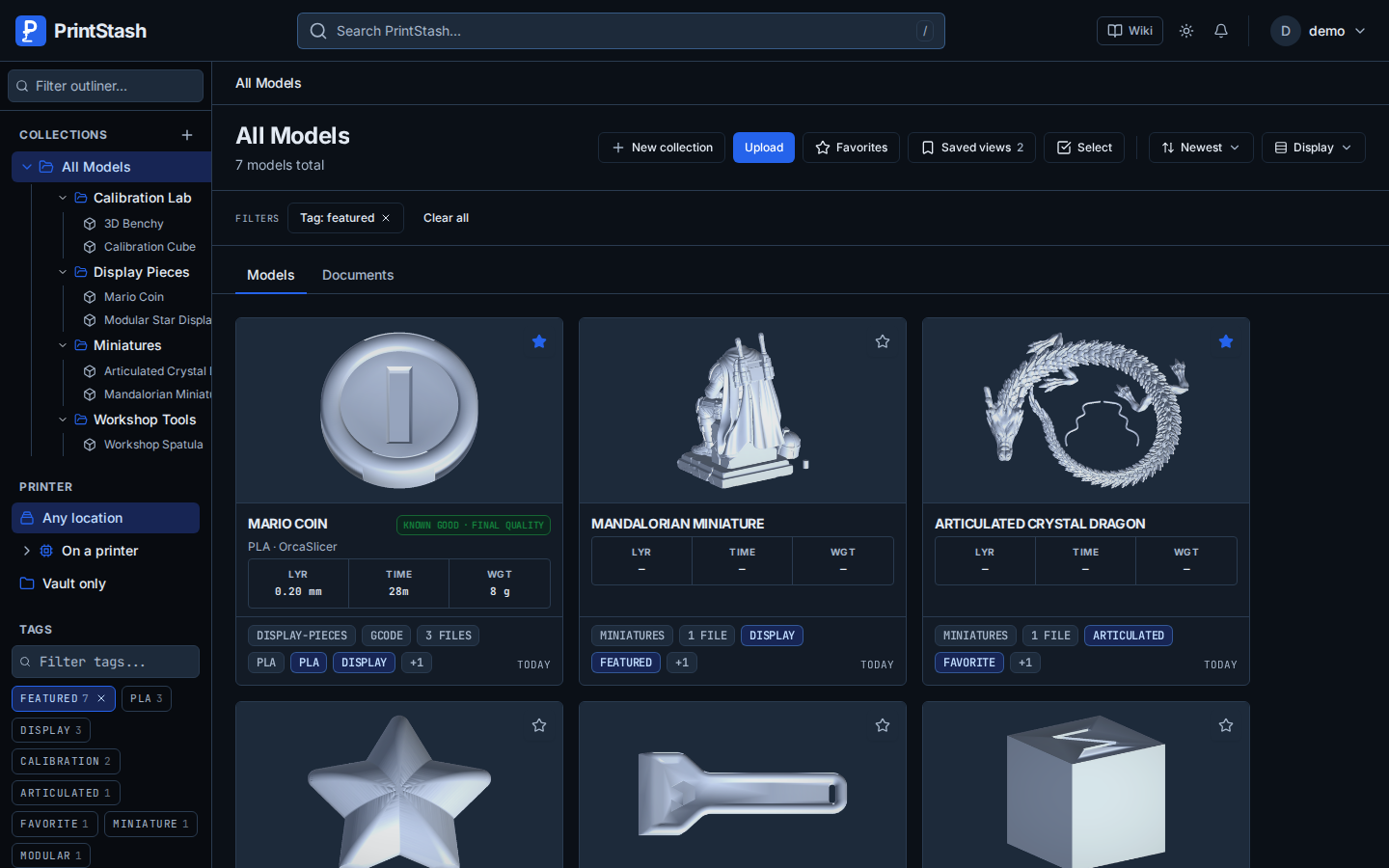
- 3D model library with collections, tags, filters, favorites, and saved views
- Upload and archive import, plus folder and NAS indexing
- 3D mesh and G-code previews
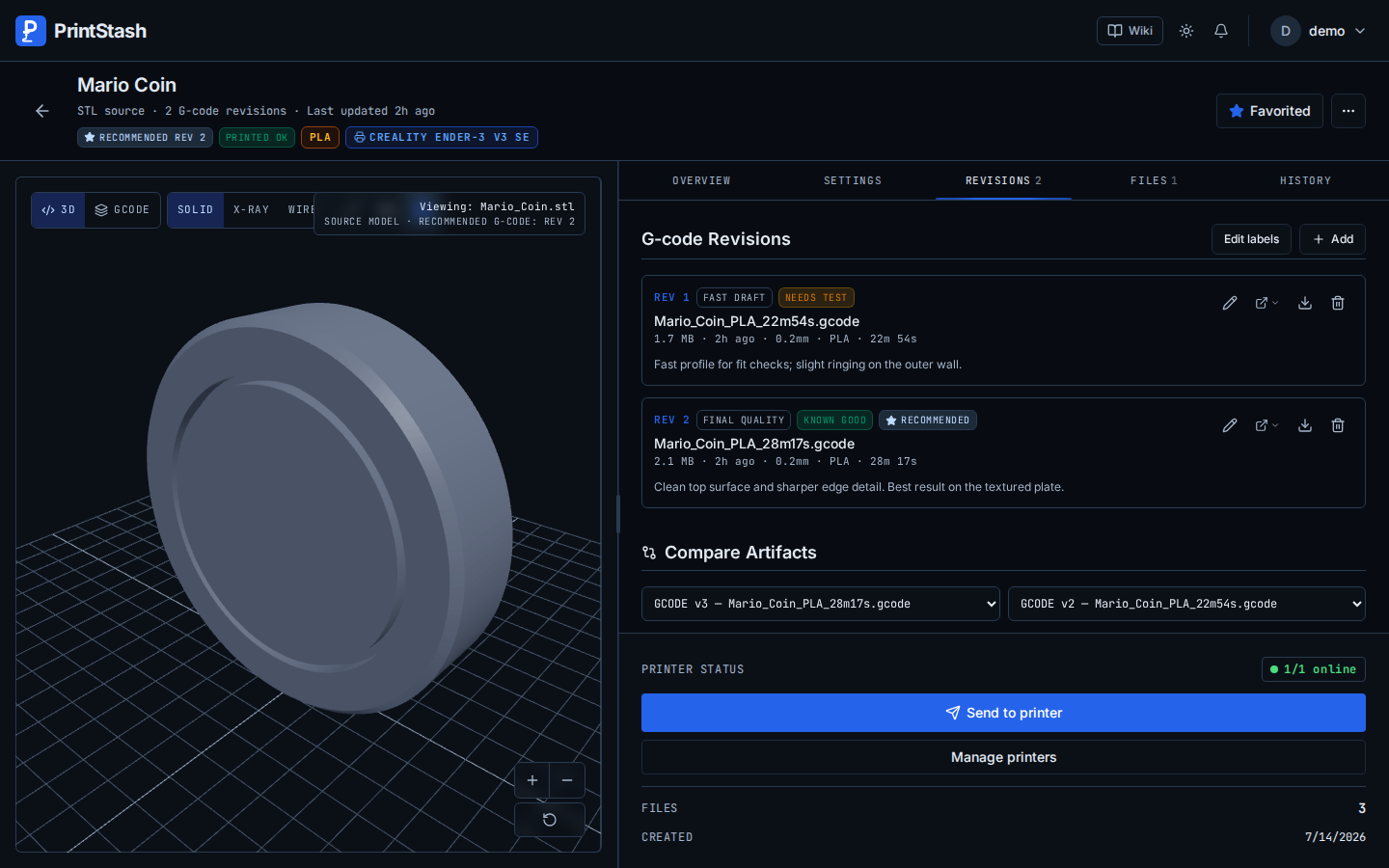
- G-code revision comparison and tested-revision tracking
- Slicer settings comparison and slicer file launching
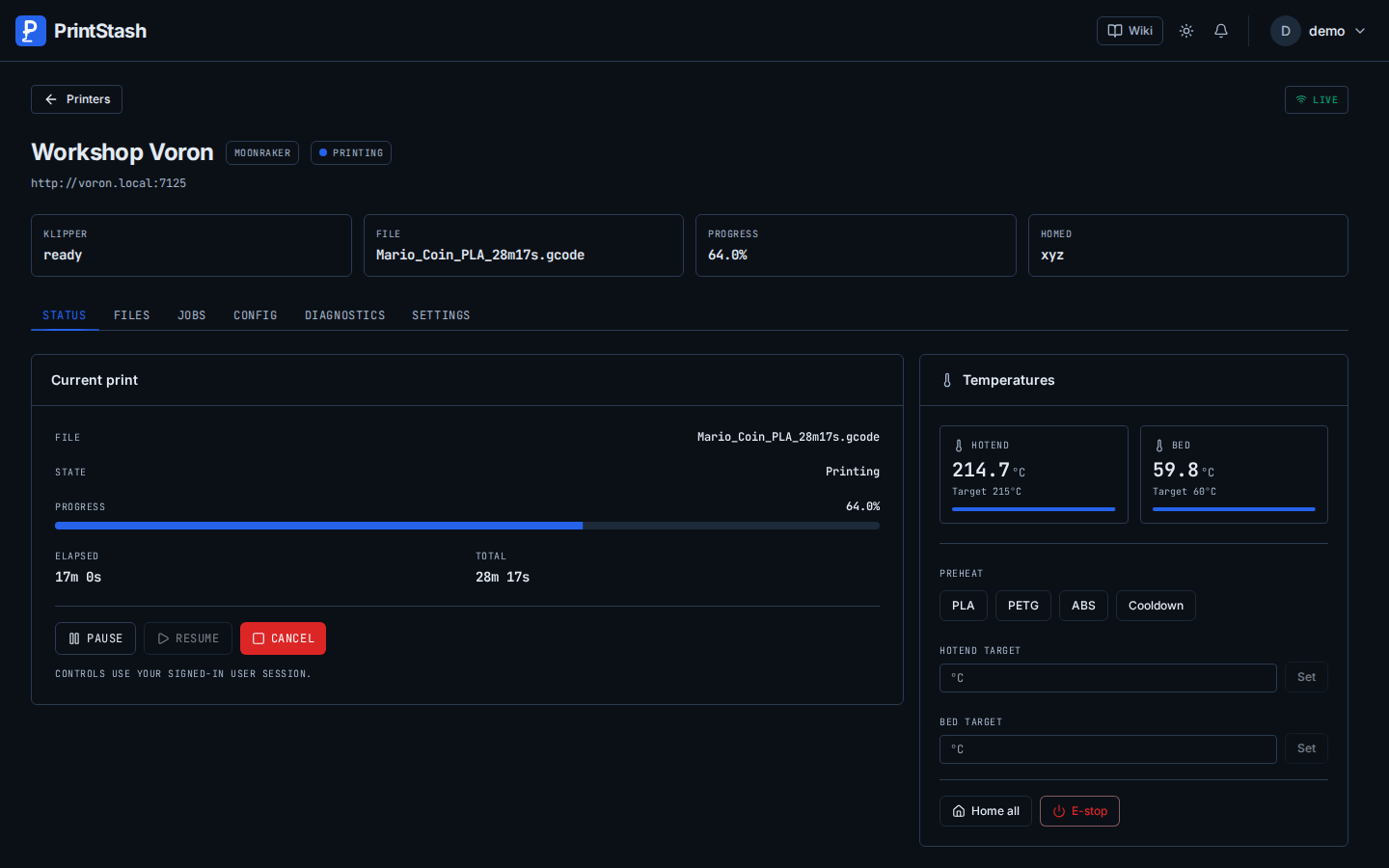
- Printer monitoring, print control, and print queues
- Filament profiles and print time and cost tracking
- Optional AI-powered search
- Verified backups, file audits, trash recovery, and library export
- User permissions, API keys, and OIDC/SSO
Details
- Last Updated
- Nov 17, 2026
- Created
- May 21, 2026
- Install Methods
- docker-compose
- Requirements
- Docker with the Compose pluginAMD64 or ARM64 hostSQLite (default configuration)At least 1 GB RAM recommendedStorage space for model and print files
- Minimum Requirements
- RAM: 1 GB
- Default Port
- 3000web UI
- Authentication
- oidc-sso
- Backup & Export
- built-in-backupnative-export
- Privacy & Independence
- No Cloud Required
- User Model
- Multi-User
- Deployment
Deployment: Docker Compose ✓Single Container — minimal hosting footprintsingle container
Run PrintStash yourself
Pick how much you want to manage.
 netcupBest match
Full control
A server with up to 1 GB of RAM, then Docker Compose.
About 20 minutes with Docker
 Hetzner
Full control
A server with up to 1 GB of RAM, then Docker Compose.
About 20 minutes with Docker
 DigitalOcean
Full control
A server with up to 1 GB of RAM, then Docker Compose.
About 20 minutes with Docker

Some links earn us a commission. netcup pays us one and is our preferred VPS host.
Is this your project? Sponsor a listing
Run PrintStash with Docker Compose
Compose file from the PrintStash project repository.
1 service
no resource limits declared
needs persistent storage (1 volume)
docker-compose.yml · @ aa17d5b · scanned Nov 18, 2026
# PrintStash — start here: docker compose up -d, then open http://localhost:3000
# One container (web UI + API), SQLite and local storage. No .env needed.
# Optional settings: docs/deployment.md
# Every setting, PostgreSQL and S3: docker-compose.advanced.yml
services:
  printstash:
    # PRINTSTASH_IMAGE selects a fork's GHCR namespace or a locally built image.
    image: ${PRINTSTASH_IMAGE:-ghcr.io/xiao-villamor/printstash}:${PRINTSTASH_VERSION:-latest}
    restart: unless-stopped
    stop_grace_period: 60s
    ports:
      - "${PRINTSTASH_HTTP_PORT:-3000}:3000"
    environment:
      VAULT_SETUP_MODE: trusted_network
      VAULT_RESTART_ENABLED: "true"
    volumes:
      # Everything PrintStash keeps: database, files, thumbnails, staging,
      # backups and caches. Keep it one mount, so imports hard-link into the
      # library instead of copying every file.
      - printstash:/data

volumes:
  printstash:
This file may be out of date. Check the PrintStash documentation for current setup steps.
Track your self-hosted stack
Bookmark software to try, rate tools you've used, and keep your collection in one place.
Alternatives to PrintStash

Thingport

Manyfold
Related Software

Octoprint

Spoolman

Mainsail

Fluidd

ConvertX

ResourceSpace
Cgit
Ctfreak
Nirvati

CNCjs
Redmine
