

wg-easy
★ 27.6kA self-hosted alternative to Tailscale
About
Community Ratings
No ratings yetNew this week
Read recap →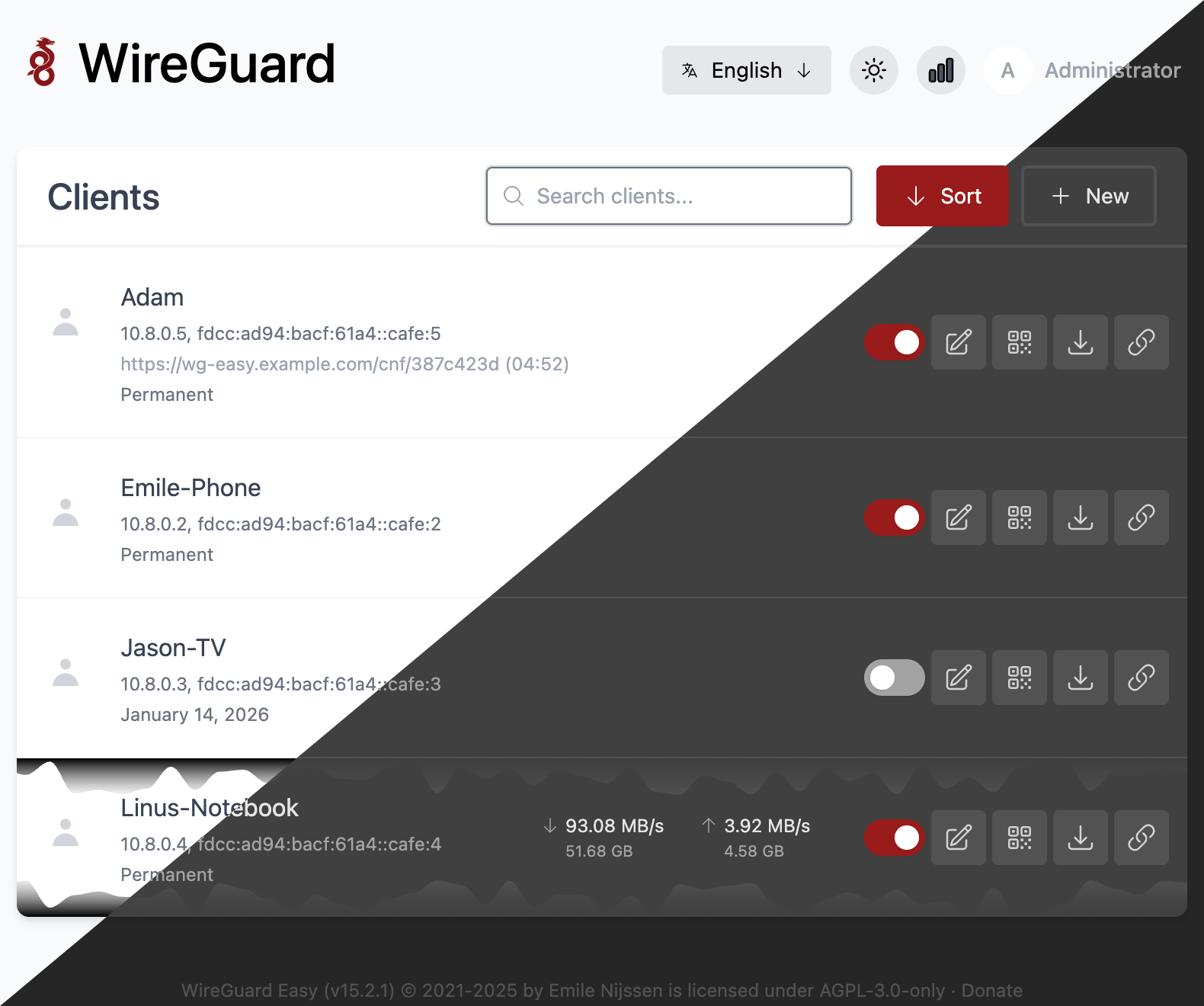
Features
- WireGuard + web UI
- client management
- QR code display
- client configuration download
- connection statistics
- Tx/Rx charts
- Gravatar support
- light/dark mode
- multilanguage support
- OIDC support
Details
- Last Updated
- Nov 26, 2026
- Created
- May 22, 2021
- Install Methods
- dockerdocker-composebinarysource
- Requirements
- DockerNode LTScorepackVisual Studio Codeiptables
- Default Port
- 51821From the project's Compose file
- Authentication
- oidc-sso2fa
- Backup & Export
- native-export
- Privacy & Independence
- No Cloud RequiredOffline Capable
- User Model
- Multi-User
- Theming
- Dark mode
- Deployment
Deployment: Docker Compose ✓Single Container — minimal hosting footprintsingle container
Run wg-easy yourself
Pick how much you want to manage.
 Hostinger
One click
Hostinger template, runs in your own Hostinger account.
About 5 minutes to running
 netcupBest match
Full control
A small server, then Docker Compose.
About 20 minutes with Docker
 Hetzner
Full control
A small server, then Docker Compose.
About 20 minutes with Docker
3 more ways to host


Some links earn us a commission. netcup pays us one and is our preferred VPS host. Hostinger is a paid sponsor and is listed first.
Is this your project? Sponsor a listing
Run wg-easy with Docker Compose
Compose file from the wg-easy project repository.
1 service
no resource limits declared
needs persistent storage (2 volumes)
docker-compose.yml · @ 1c8188d · scanned Nov 3, 2026
volumes:
  etc_wireguard:

services:
  wg-easy:
    #environment:
    #  Optional:
    #  - PORT=51821
    #  - HOST=0.0.0.0
    #  - INSECURE=false

    image: ghcr.io/wg-easy/wg-easy:15
    container_name: wg-easy
    networks:
      wg:
        ipv4_address: 10.42.42.42
        ipv6_address: fdcc:ad94:bacf:61a3::2a
    volumes:
      - etc_wireguard:/etc/wireguard
      - /lib/modules:/lib/modules:ro
    ports:
      - "51820:51820/udp"
      - "51821:51821/tcp"
    restart: unless-stopped
    cap_add:
      - NET_ADMIN
      - SYS_MODULE
      # - NET_RAW # ⚠️ Uncomment if using Podman
    sysctls:
      - net.ipv4.ip_forward=1
      - net.ipv4.conf.all.src_valid_mark=1
      - net.ipv6.conf.all.disable_ipv6=0
      - net.ipv6.conf.all.forwarding=1
      - net.ipv6.conf.default.forwarding=1

networks:
  wg:
    driver: bridge
    enable_ipv6: true
    ipam:
      driver: default
      config:
        - subnet: 10.42.42.0/24
        - subnet: fdcc:ad94:bacf:61a3::/64
This file may be out of date. Check the wg-easy documentation for current setup steps.
Tags
Track your self-hosted stack
Bookmark software to try, rate tools you've used, and keep your collection in one place.
Alternatives to wg-easy

Firezone

netbird

Mistborn
Related Software

Cloud Seeder

Uptime Kuma

OliveTin

EasyTier

Tipi

rathole

SparkView
