


Spacedrive
★ 39.6kAbout
Community Ratings
No ratings yetNew this week
Read recap →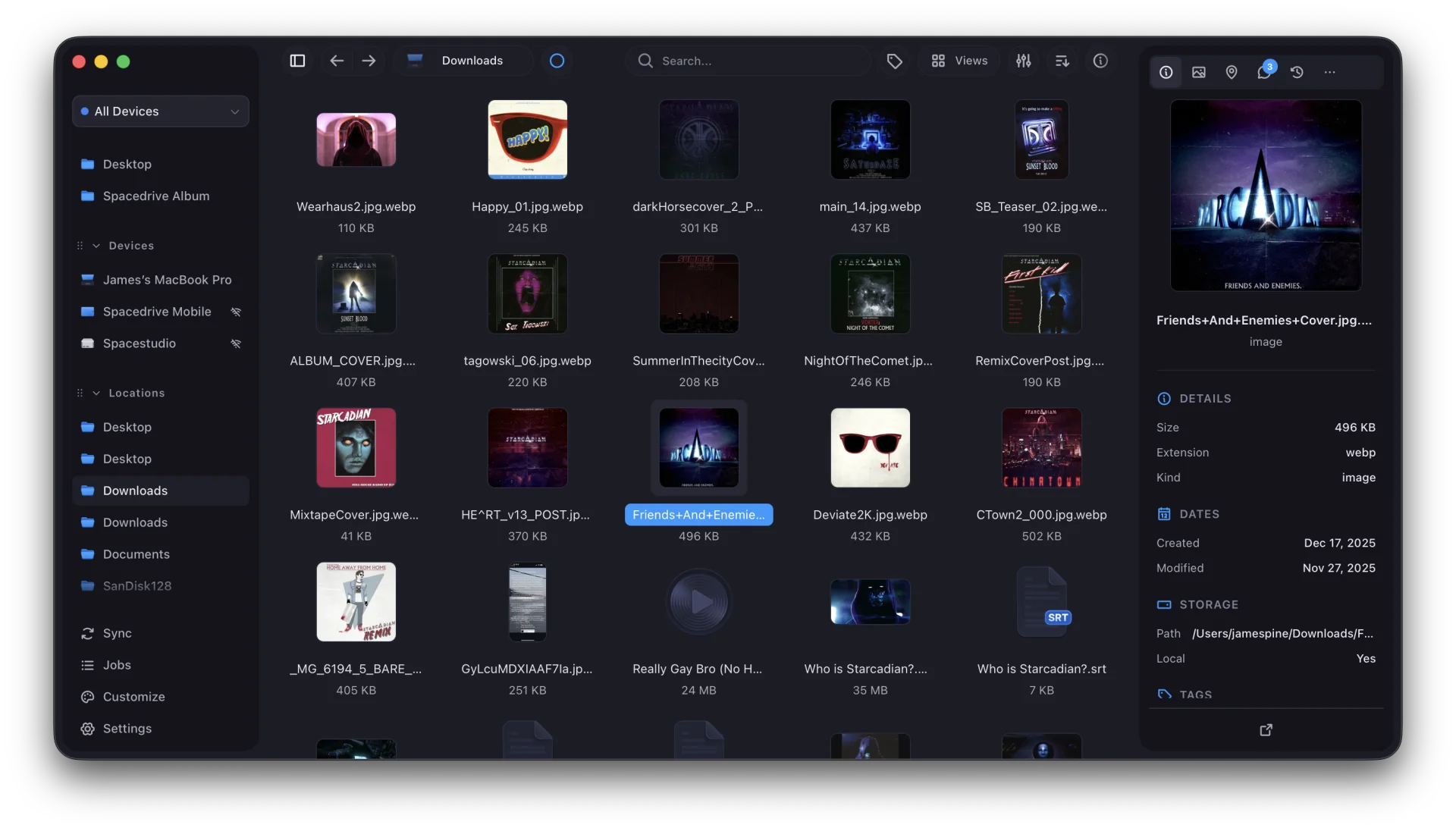
Features
- Unified indexing across local, remote, and cloud sources
- Cross-source search
- Duplicate detection and content identity
- Filesystem history and offline snapshots
- Integrity, redundancy, and backup-state tracking
- Operation validation and previews
- Remote node access and source sharing
- On-demand mounts and range-based file streaming
- Extensible source adapters and metadata support
- CLI, SDK, and MCP integrations
Details
- Last Updated
- Nov 28, 2026
- Created
- Sep 27, 2021
- Install Methods
- binary
- Privacy & Independence
- No TelemetryCloud: OptionalOffline Capable
- User Model
- Multi-User
- Deployment
Deployment: Docker Compose ✓Single Container — minimal hosting footprintsingle container
Run Spacedrive yourself
Pick how much you want to manage.
 HostingerSponsored
One click
Hostinger template, runs in your own Hostinger account.
About 5 minutes to running
 netcupBest match
Full control
A small server, then Docker Compose.
About 20 minutes with Docker
 Hetzner
Full control
A small server, then Docker Compose.
About 20 minutes with Docker
3 more ways to host


Some links earn us a commission. netcup pays us one and is our preferred VPS host. Hostinger is a paid sponsor and is listed first.
Is this your project? Sponsor a listing
Run Spacedrive with Docker Compose
Compose file from the Spacedrive project repository.
1 service
≈2.0 GB RAM requested (from Docker memory limits)
needs persistent storage (1 volume)
apps/server/docker-compose.yml · @ 2774894 · scanned Nov 26, 2026
services:
  spacedrive:
    build:
      context: ../..
      dockerfile: apps/server/Dockerfile
    container_name: spacedrive-server
    restart: unless-stopped

    # Ports
    ports:
      - "8080:8080"  # HTTP server
      - "7373:7373"  # P2P networking

    # Volumes
    volumes:
      - spacedrive-data:/data
      # Optional: Mount your file systems here
      # - /mnt/storage:/storage:ro

    # Environment variables
    environment:
      # Data directory (inside container)
      - DATA_DIR=/data

      # HTTP server port
      - PORT=8080

      # Authentication (REQUIRED for security!)
      # Format: "username:password,username2:password2"
      # Or set to "disabled" to disable auth (NOT RECOMMENDED)
      - SD_AUTH=${SD_AUTH:-admin:changeme}

      # Enable P2P networking
      - SD_P2P=true

      # Logging
      - RUST_LOG=info,sd_core=debug

      # Timezone
      - TZ=UTC

    # Health check
    healthcheck:
      test: ["CMD", "curl", "-f", "http://localhost:8080/health"]
      interval: 30s
      timeout: 10s
      retries: 3
      start_period: 40s

    # Resource limits (adjust as needed)
    deploy:
      resources:
        limits:
          memory: 2G
        reservations:
          memory: 512M

volumes:
  spacedrive-data:
    driver: local
This file may be out of date. Check the Spacedrive documentation for current setup steps.
Track your self-hosted stack
Bookmark software to try, rate tools you've used, and keep your collection in one place.
Alternatives to Spacedrive
phylum

ClyoCloud

Hoodik

TagSpaces

AList

Peergos

Nextcloud

Seafile

Cloudreve

FileRise

sist2
Related Software

backrest

restic

Unison

Filestash
Git Annex

Duplicati

ownCloud
tiddlypwa

DashBeam