


Ratelog
★ 21About
Community Ratings
No ratings yetNew this week
Read recap →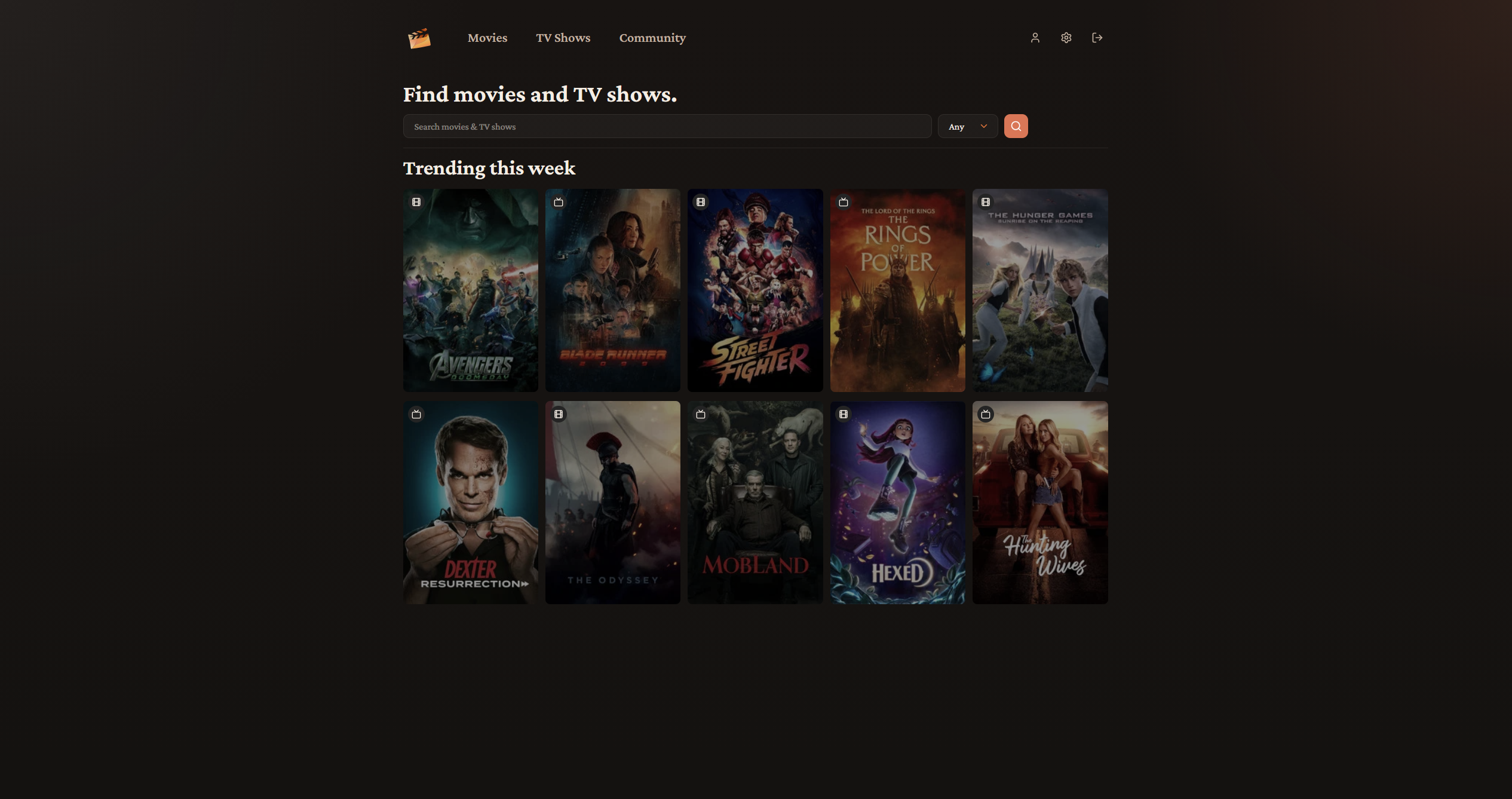
Features
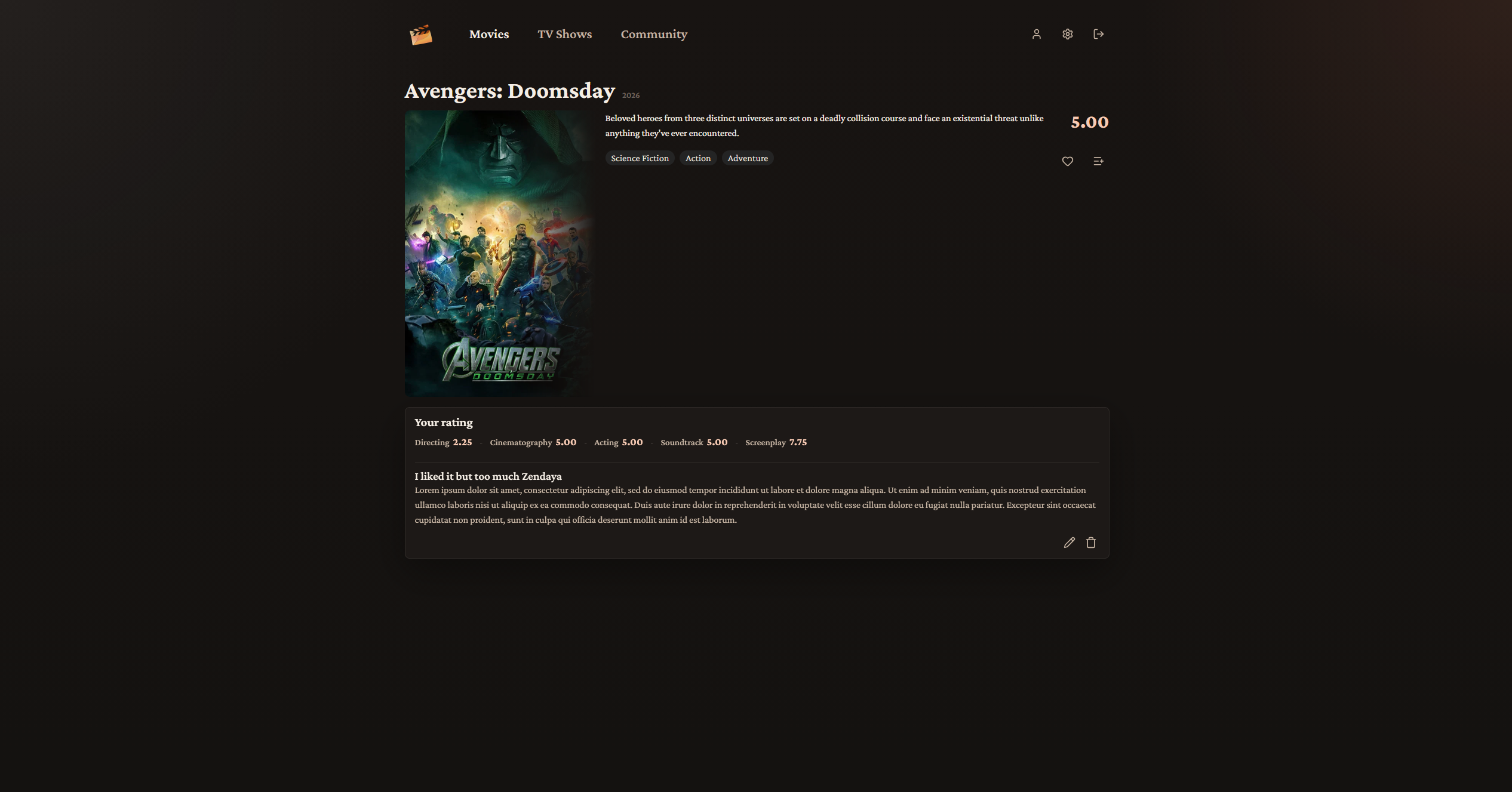
- Movie and TV show search via TMDB
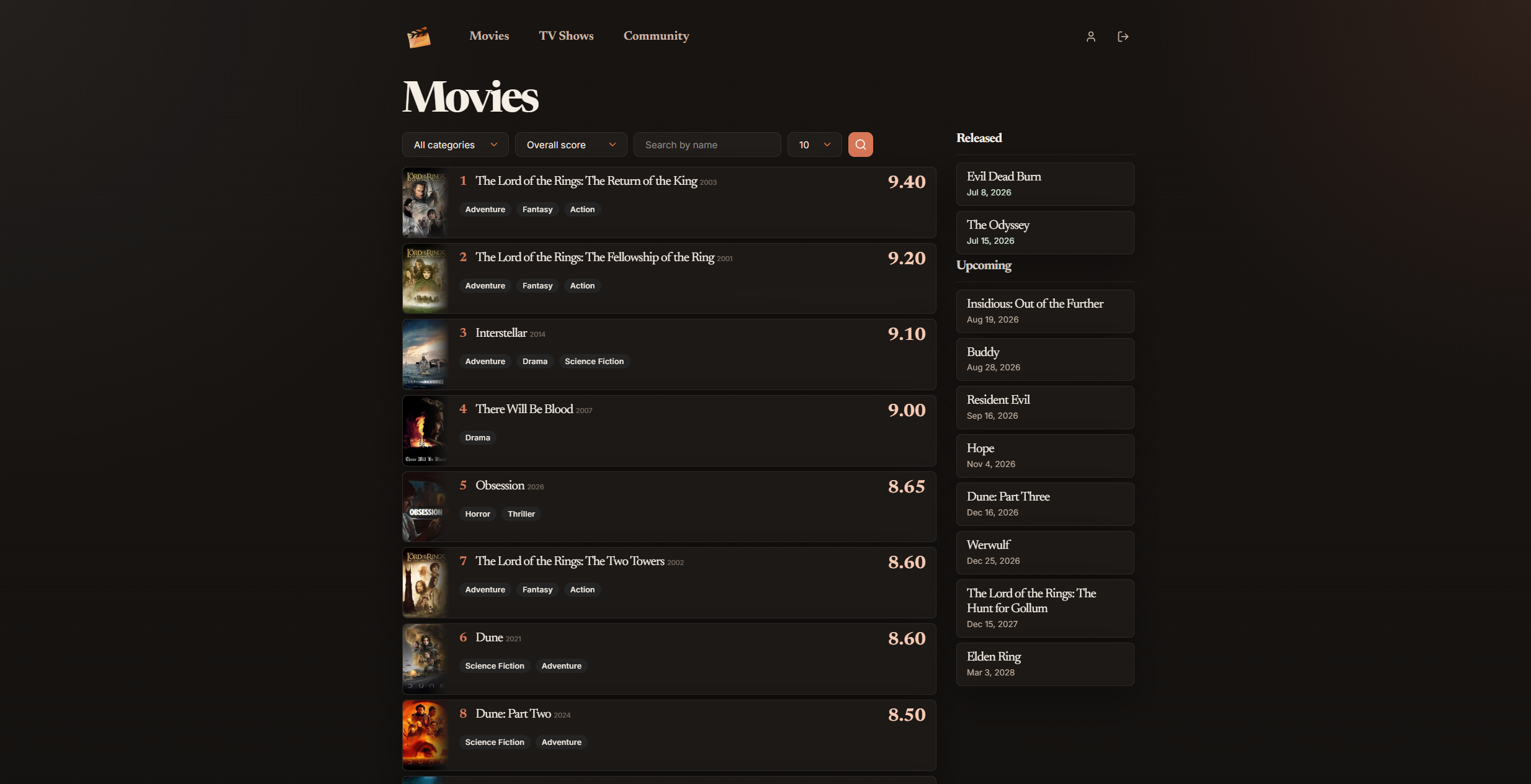
- Upcoming release tracking
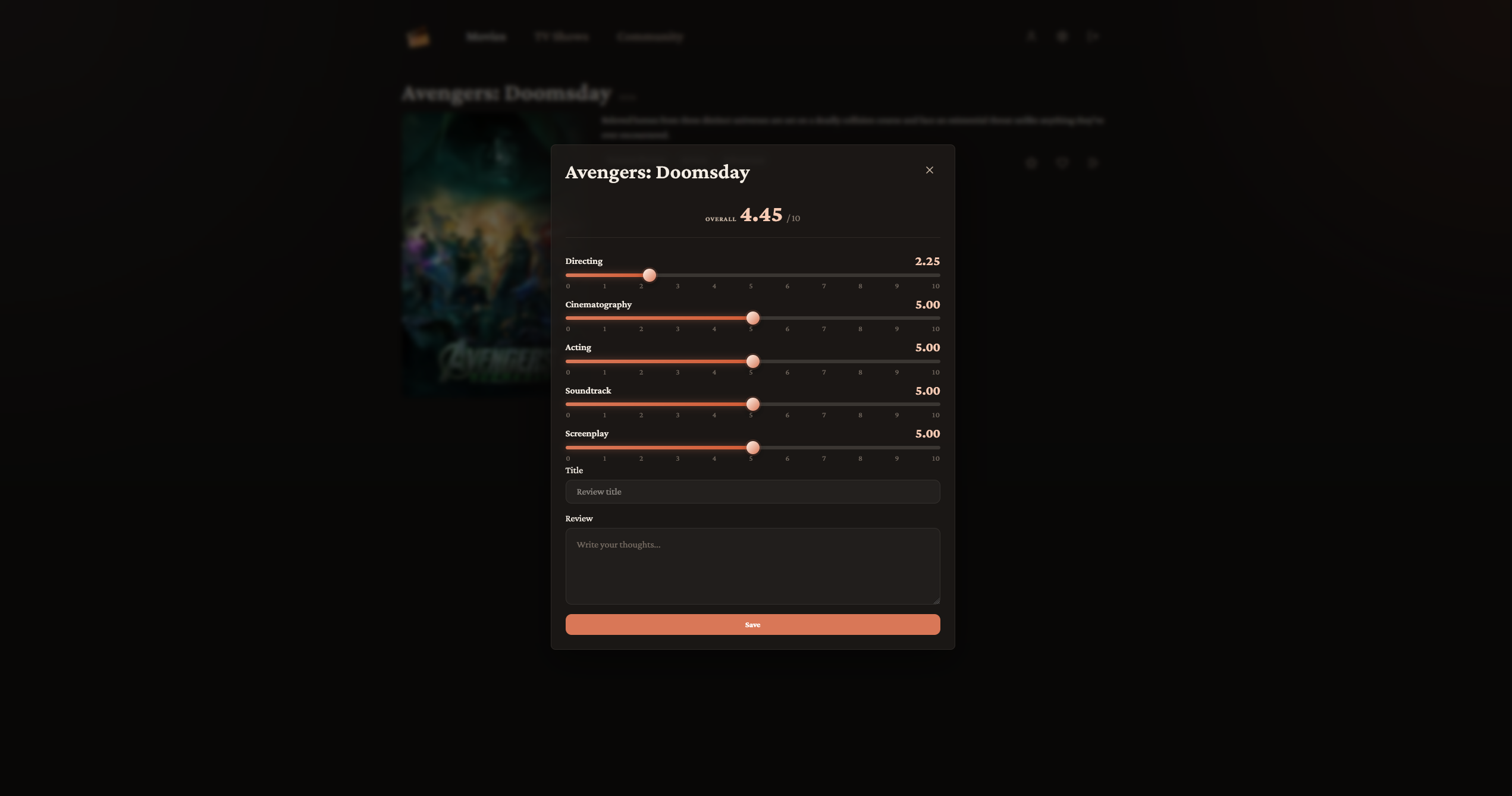
- Category-based ratings
- Automatic average scores
- Filterable movie and TV top lists
- Custom lists
- Community ratings, lists, and activity
- Letterboxd ratings and watchlist import
- Multi-user accounts and role-based administration
- Progressive Web App installation
Details
- Last Updated
- Nov 10, 2026
- Created
- Apr 24, 2026
- Install Methods
- docker-compose
- Requirements
- DockerDocker ComposeTMDB API key
- Default Port
- 8080web app
- Authentication
- local
- API
- REST
- Runtime / Stack
- Docker
- Privacy & Independence
- Cloud: Required
- User Model
- Multi-User
- Theming
- Dark mode
- Deployment
Deployment: Docker Compose ✓2 Containers — light hosting footprintRuns as 2 containers
Run Ratelog yourself
Pick how much you want to manage.
 HostingerSponsored
Full control
A small server, then Docker Compose.
About 20 minutes with Docker
 netcupBest match
Full control
A small server, then Docker Compose.
About 20 minutes with Docker
 Hetzner
Full control
A small server, then Docker Compose.
About 20 minutes with Docker
2 more ways to host


Some links earn us a commission. netcup pays us one and is our preferred VPS host. Hostinger is a paid sponsor and is listed first.
Is this your project? Sponsor a listing
Run Ratelog with Docker Compose
Compose file from the Ratelog project repository.
2 services · database: postgres · infra: postgres
no resource limits declared
needs persistent storage (1 volume)
docker-compose.yml · @ 63d5989 · scanned Nov 3, 2026
services:
  postgres:
    image: postgres:18-alpine
    container_name: ratelog-postgres
    environment:
      POSTGRES_DB: ${POSTGRES_DB:-ratelog}
      POSTGRES_USER: ${POSTGRES_USER:-postgres}
      POSTGRES_PASSWORD: ${POSTGRES_PASSWORD:-postgres}
    ports:
      - "5432:5432"
    volumes:
      - pgdata:/var/lib/postgresql
    healthcheck:
      test: ["CMD-SHELL", "pg_isready -U ${POSTGRES_USER:-postgres}"]
      interval: 5s
      timeout: 3s
      retries: 5

  ratelog:
    build:
      context: .
      dockerfile: Dockerfile
    container_name: ratelog
    ports:
      - "${PORT:-8080}:${PORT:-8080}"
    environment:
      PORT: ${PORT:-8080}
      POSTGRES_HOST: postgres
      POSTGRES_PORT: 5432
      POSTGRES_DB: ${POSTGRES_DB:-ratelog}
      POSTGRES_USER: ${POSTGRES_USER:-postgres}
      POSTGRES_PASSWORD: ${POSTGRES_PASSWORD:-postgres}
    depends_on:
      postgres:
        condition: service_healthy
volumes:
  pgdata:
This file may be out of date. Check the Ratelog website for current setup steps.
Tags
Track your self-hosted stack
Bookmark software to try, rate tools you've used, and keep your collection in one place.
Alternatives to Ratelog

Movary

Watcharr

Yamtrack

ryot
Related Software

Organizr

Webtor
