

openplate
★ 70A self-hosted alternative to Myfitnesspal, Cronometer, Yazio, Lose It
About
Community Ratings
No ratings yetNew this week
Read recap →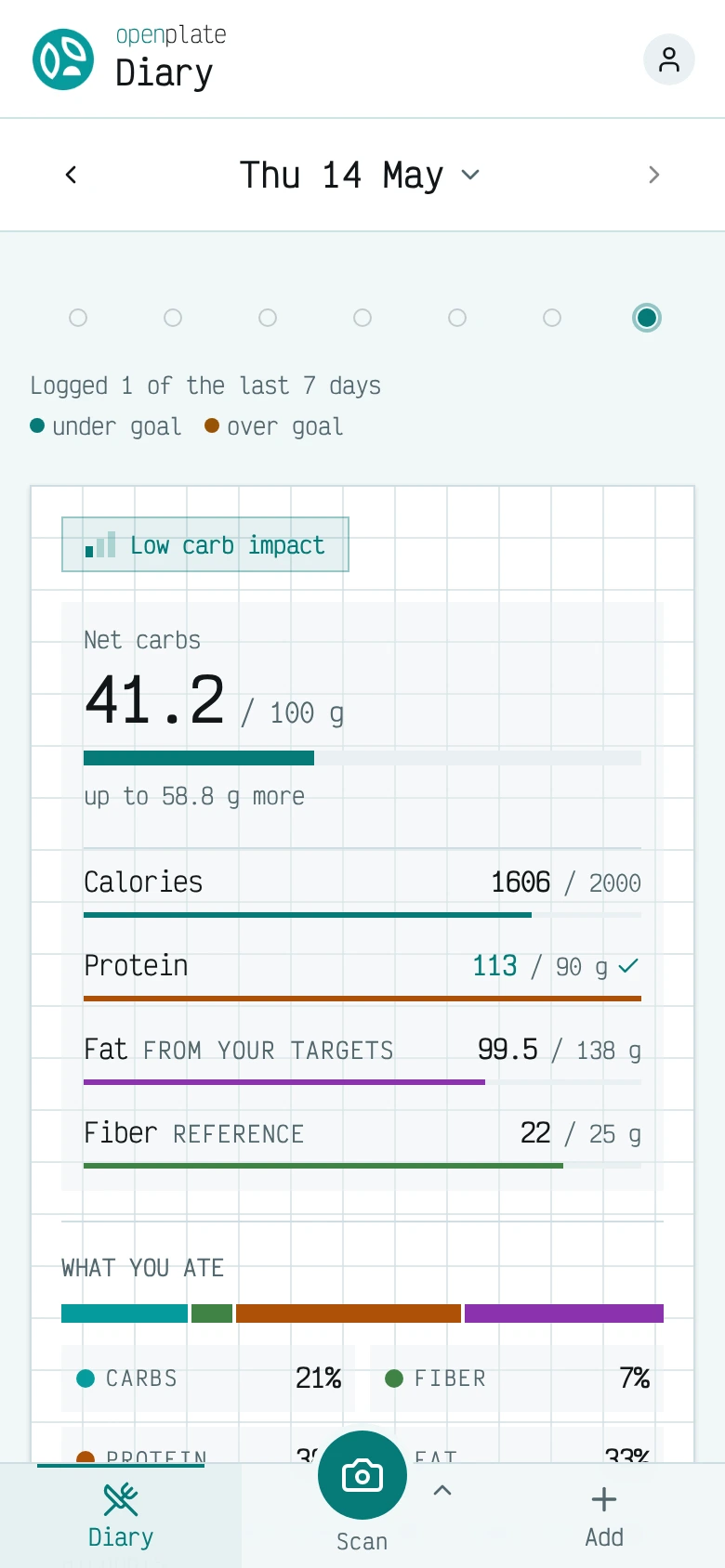
Features
- food diary
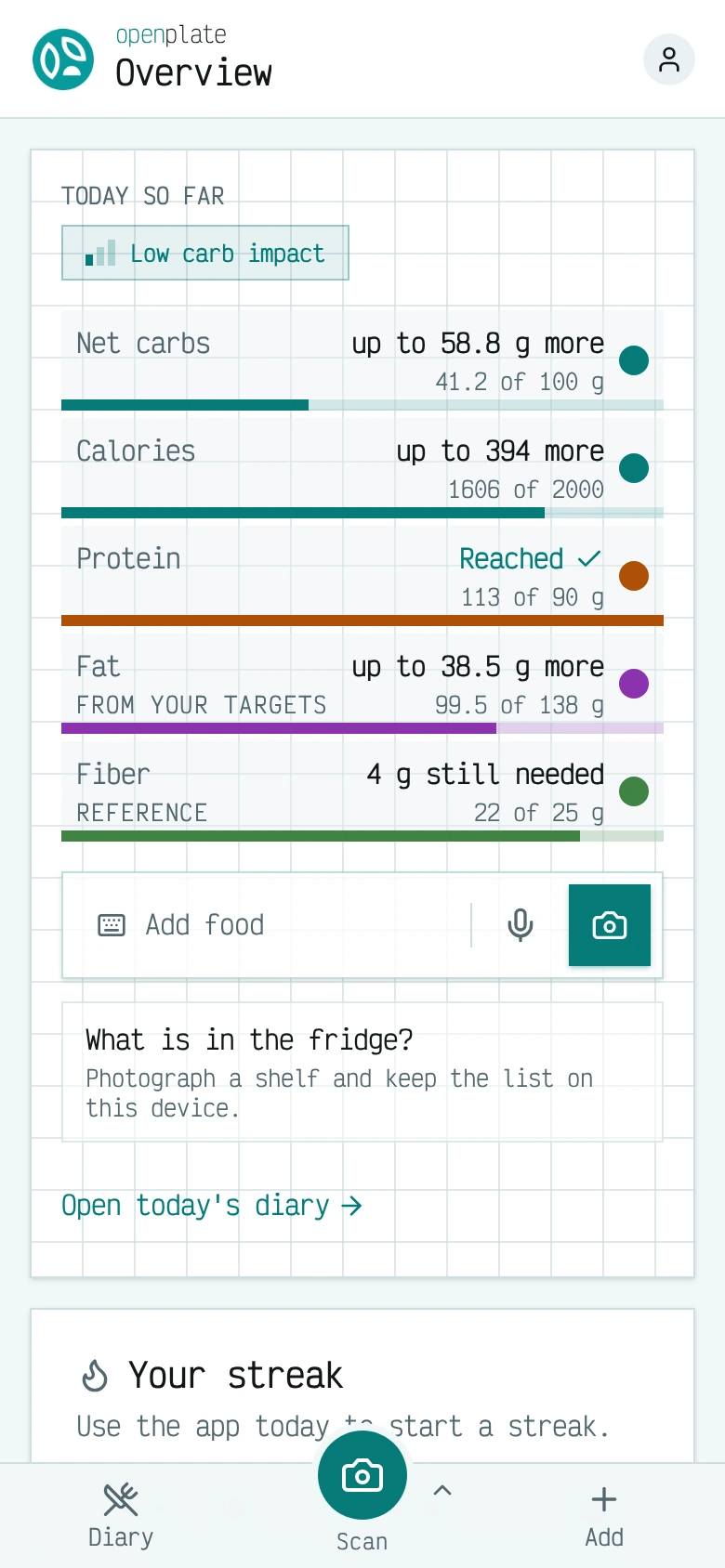
- macro tracking
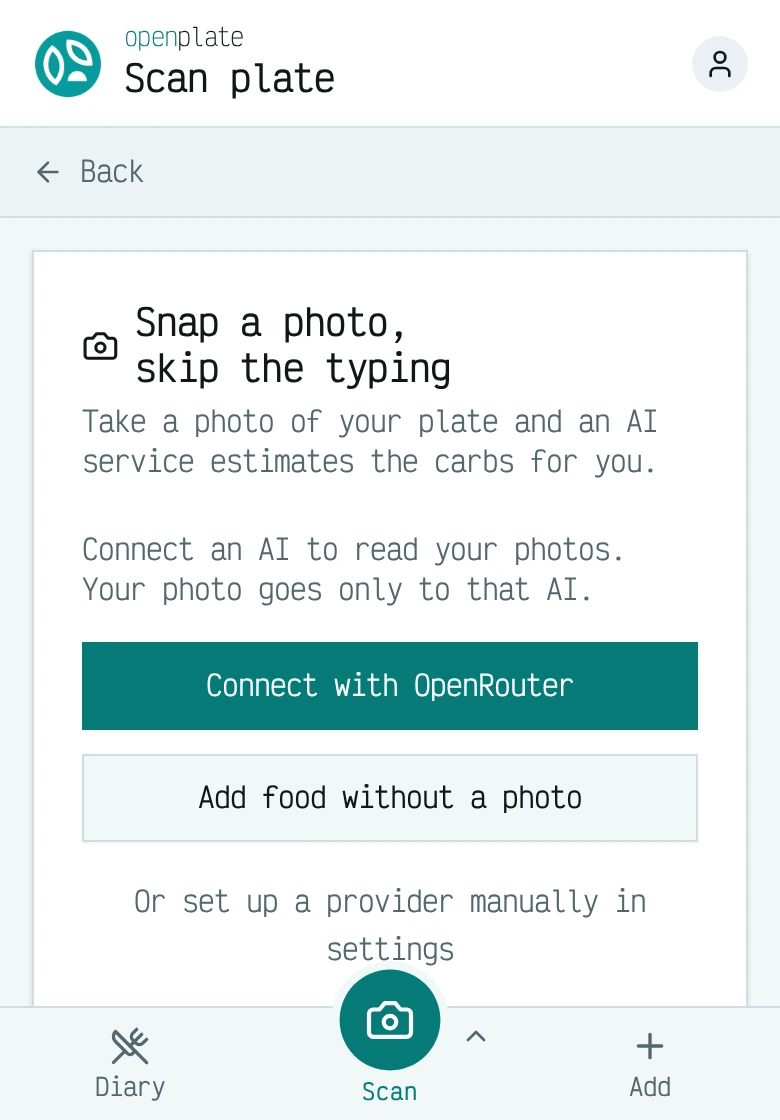
- AI plate identification
- device sync
- accountless local-first mode
- managed accounts mode
- encrypted diary sync
- in-app JSON export
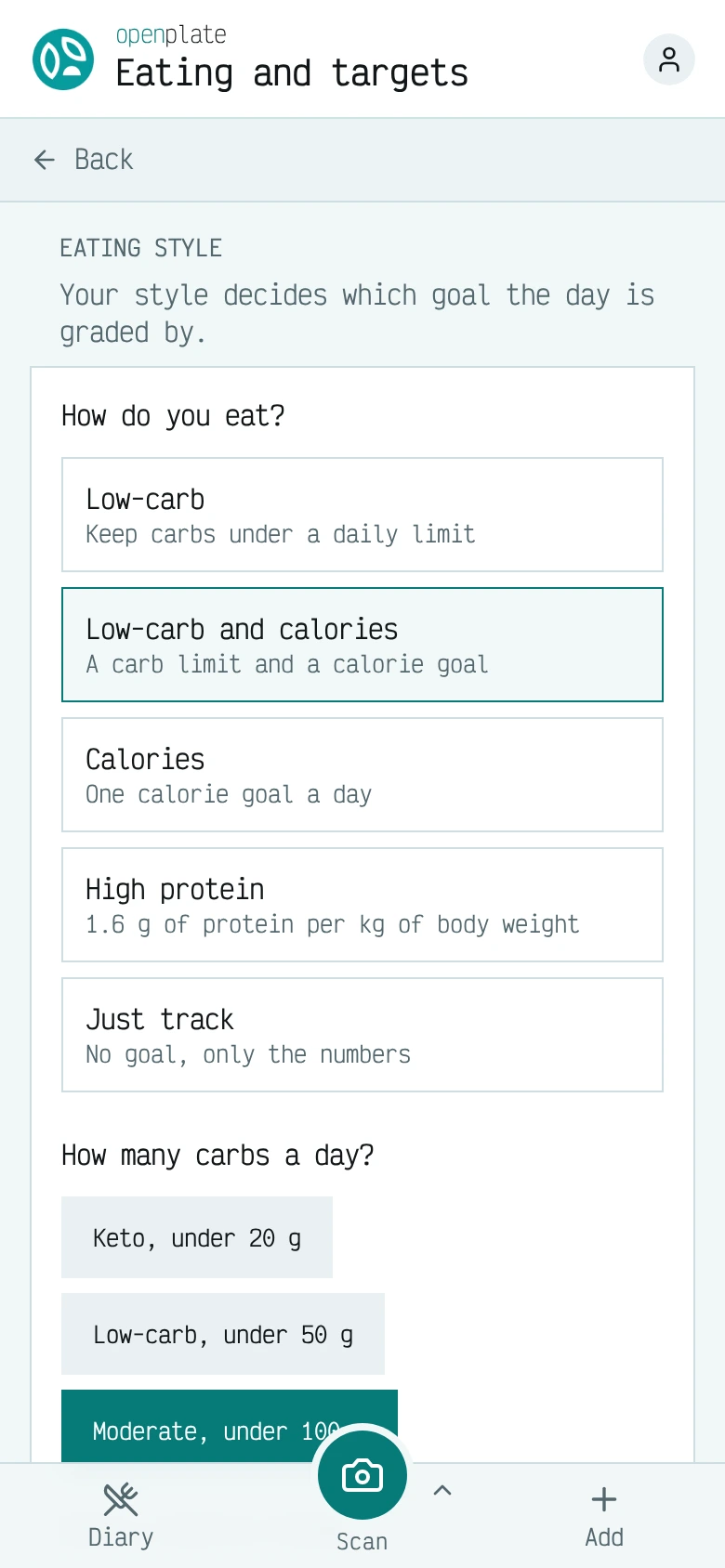
- daily goals
- OpenAI-compatible inference endpoint
Details
- Last Updated
- Nov 14, 2026
- Created
- Aug 19, 2026
- Install Methods
- dockerdocker-composesource
- Requirements
- Node 24 or newerpnpm 11gitmakePostgresChromium
- Minimum Requirements
- RAM: 2 GiB
- Default Port
- 3000web app
- Authentication
- local
- API
- REST
- Backup & Export
- native-exportdatabase-dumpfile-backup
- Privacy & Independence
- Cloud: OptionalOffline Capable
- User Model
- Multi-User
- Deployment
Deployment: Docker Compose ✓Single Container — minimal hosting footprintsingle container
Run openplate yourself
Pick how much you want to manage.
 netcupBest match
Full control
A server with 2 GB of RAM, then Docker Compose.
About 20 minutes with Docker
 Hetzner
Full control
A server with 2 GB of RAM, then Docker Compose.
About 20 minutes with Docker
 DigitalOcean
Full control
A server with 2 GB of RAM, then Docker Compose.
About 20 minutes with Docker

Some links earn us a commission. netcup pays us one and is our preferred VPS host.
Is this your project? Sponsor a listing
Run openplate with Docker Compose
Compose file from the openplate project repository.
1 service
no resource limits declared
docker/compose.yml · @ 5229dc5 · scanned Nov 3, 2026
# openplate, self-hosted: one stateless container and nothing else.
#
#   mkdir -p ~/openplate && cd ~/openplate
#   curl -O https://raw.githubusercontent.com/LowCarbCheck/openplate/main/docker/compose.yml
#   docker compose -f compose.yml up -d
#
# Keep this file in a folder that lasts, like ~/openplate above, and run every
# command from there. Compose treats the compose file's OWN directory as the
# project directory, so a `.env` beside this file is the one it reads, not one
# somewhere further up. A folder under /tmp can be emptied by a reboot.
#
# Only http://localhost:3000 on this machine counts as a secure page. Opened
# from another device at http://<this machine's address>:3000, the diary and
# plate photos work, but installing the app, offline use and the one-click
# OpenRouter connect do not. See the HTTPS section of apps/app/docs/self-hosting.md.
#
# There is no database and no secret to configure. The server stores nothing:
# your diary lives in your browser's own IndexedDB on the device you use it
# from (see apps/app/.adr/0006-the-app-server-holds-no-accounts.md). Back up with the
# in-app JSON export, not with a database dump.
#
# If you also want the optional core server (accounts and diary sync), use
# docker/topologies/compose.core.yml instead. THAT one needs a database,
# because the core server keeps accounts and ciphertext. The other shapes
# (self-hosted AI, or everything at once) sit beside it; docker/topologies/
# README.md is the one-page map.
# Fixes the project name. Without it Compose names the stack after the
# directory the file sits in -- "docker" for anyone running from a checkout --
# and every container and volume inherits that name.
name: openplate

services:
  # Pulls the published multi-arch image from GHCR by default -- no source
  # checkout required for a self-host. To build from source instead (e.g.
  # developing against this repo), comment out `image:` below and uncomment
  # `build:`, then run:
  #   docker compose --project-directory . -f docker/compose.yml build
  #   docker compose --project-directory . -f docker/compose.yml up -d
  # Run those two from the repo root. The build context below is written
  # relative to THIS file, so it points one level up and into the app's folder
  # of the checkout, apps/app, and `--project-directory .` is what makes
  # Compose read the repo root's `.env` instead of the one it would look for
  # in `docker/`.
  app:
    image: ghcr.io/lowcarbcheck/openplate:latest
    # build:
    #   context: ../apps/app
    #   dockerfile: Dockerfile.pnpm
    restart: unless-stopped
    ports:
      # Published on EVERY network interface of this machine, so anyone on your
      # network can open http://<this machine's address>:3000. Behind a reverse
      # proxy on this machine, write '127.0.0.1:3000:3000' instead: then only
      # the proxy can reach the app, and the plain HTTP port is gone.
      - '3000:3000'
    # To serve legal pages, uncomment this and set CONTENT_DIR in `.env`:
    #   CONTENT_DIR=/srv/openplate/content
    # volumes:
    #   - ./content:/srv/openplate/content:ro
    environment:
      NODE_ENV: production
      PORT: 3000
      # Public URL this instance is reachable at. Set APP_URL in .env if you
      # put a reverse proxy in front (see apps/app/docs/self-hosting.md, HTTPS).
      APP_URL: ${APP_URL:-http://localhost:3000}
      # ON by default. Queries the public LowCarbCheck food database for
      # curated nutrition data (food NAMES only, never photos; fails open on
      # outages). An EMPTY string disables it entirely so no food names ever
      # leave your machine.
      FOOD_DB_API_URL: ${FOOD_DB_API_URL-https://lowcarbcheck.org}
      # Optional free key for that database. Empty is the shared anonymous
      # allowance; set one if more than one person scans on this instance.
      FOOD_DB_API_KEY: ${FOOD_DB_API_KEY:-}
      # "true" passes foods people save from an AI answer on to LowCarbCheck as
      # proposals. Needs FOOD_DB_API_KEY. Empty means off.
      FOOD_DB_BACKFILL: ${FOOD_DB_BACKFILL:-}
      # The most LowCarbCheck calls this server makes in one UTC day. Empty means
      # the default, 3200.
      FOOD_DB_DAILY_CALL_LIMIT: ${FOOD_DB_DAILY_CALL_LIMIT:-}
      # Number of reverse proxies in front of this container. Behind one proxy
      # (Caddy, nginx, Traefik) keep 1: React Router's CSRF check compares the
      # browser Origin against the host it thinks it is serving, and without
      # the proxy's X-Forwarded-* headers form posts fail. With NO proxy, set
      # TRUST_PROXY=0 in .env: pages work either way, but 1 lets any visitor
      # fake their address in X-Forwarded-For and dodge the per-address limit
      # on food lookups. 2 = Cloudflare in front of one proxy.
      TRUST_PROXY: ${TRUST_PROXY:-1}
      # The language a first-time visitor sees: en, de, fr, it, es or tr.
      # Empty means en. Anyone can still switch in Settings.
      DEFAULT_UI_LANGUAGE: ${DEFAULT_UI_LANGUAGE:-}
      # "off" disables the six-hourly request to openplate.de for the newest version
      # and the project's daily count of asks. Empty means on.
      UPDATE_CHECK: ${UPDATE_CHECK:-}
      # Closes this instance: an https:// address where its people went.
      # Every page then names it. Empty means open as usual.
      MOVED_TO_URL: ${MOVED_TO_URL:-}
      # Extra origins the browser may call, space separated, for example a
      # remote AI endpoint of your own. Empty adds nothing.
      CSP_CONNECT_EXTRA: ${CSP_CONNECT_EXTRA:-}
      # debug, info, warn or error.
      LOG_LEVEL: ${LOG_LEVEL:-info}
      # The address of openplate-core, one a BROWSER can reach.
      # Empty means no sync. docker/topologies/compose.core.yml runs one.
      CORE_URL: ${CORE_URL:-}
      # The old name of CORE_URL, read for one more release. Set CORE_URL.
      SYNC_SERVER_URL: ${SYNC_SERVER_URL:-}
      # open (the default) or managed, which needs CORE_URL. See
      # apps/app/docs/configuration.md, Managed instances.
      INSTANCE_MODE: ${INSTANCE_MODE:-open}
      # An OpenAI-compatible vision endpoint every browser here may use with
      # one tap, at an address a BROWSER can reach. The key is PUBLIC: every
      # browser that loads the app can read it. Empty means each person brings
      # their own key. The model defaults to openplate-plate-1.
      DEFAULT_INFERENCE_BASE_URL: ${DEFAULT_INFERENCE_BASE_URL:-}
      DEFAULT_INFERENCE_API_KEY: ${DEFAULT_INFERENCE_API_KEY:-}
      DEFAULT_INFERENCE_MODEL: ${DEFAULT_INFERENCE_MODEL:-}
      # Which published reference values the Nutrients screen quotes: dge (the
      # default), efsa or us.
      NUTRIENT_REFERENCE_BASIS: ${NUTRIENT_REFERENCE_BASIS:-dge}
      # Matomo analytics, off unless the first two are set together. The level
      # is pageviews, product (the default when empty) or research, and only
      # with the pair: a level on its own stops the boot.
      MATOMO_URL: ${MATOMO_URL:-}
      MATOMO_SITE_ID: ${MATOMO_SITE_ID:-}
      MATOMO_EVENT_LEVEL: ${MATOMO_EVENT_LEVEL:-}
      # A newsletter form on the landing page, off unless both are set.
      NEWSLETTER_SUBSCRIBE_URL: ${NEWSLETTER_SUBSCRIBE_URL:-}
      NEWSLETTER_TURNSTILE_SITE_KEY: ${NEWSLETTER_TURNSTILE_SITE_KEY:-}
      # The folder of legal pages, mounted read-only. Set it to the container
      # path of the volume line above. Empty means no legal pages.
      CONTENT_DIR: ${CONTENT_DIR:-}
      # The address the server binds to inside the container. Leave it empty:
      # the published port reaches only a server on every interface.
      HOST: ${HOST:-}
    healthcheck:
      # A shell line with no quotes and no brackets, run by the image's busybox
      # wget. Docker Compose, podman-compose and Quadlet all pass it through
      # the same way; the old `node -e "fetch(...)"` form reached podman-compose
      # 1.0.6 as a broken shell line and stayed unhealthy forever.
      test: ['CMD-SHELL', 'wget -q -O /dev/null http://127.0.0.1:3000/healthcheck']
      interval: 30s
      timeout: 5s
      start_period: 30s
      retries: 3
This file may be out of date. Check the openplate documentation for current setup steps.
Tags
Track your self-hosted stack
Bookmark software to try, rate tools you've used, and keep your collection in one place.
Alternatives to openplate

MacroTrackr

NutriTrace

Schautrack

SparkyFitness

PANTS

wger

OpenNutriTracker
Related Software

GymCoach

openGym

ManageMeals

ryot

Lyftr

Tamari

Workout Tracker
