


Nogon
★ 6.4kAbout
Community Ratings
No ratings yetNew this week
Read recap →
Features
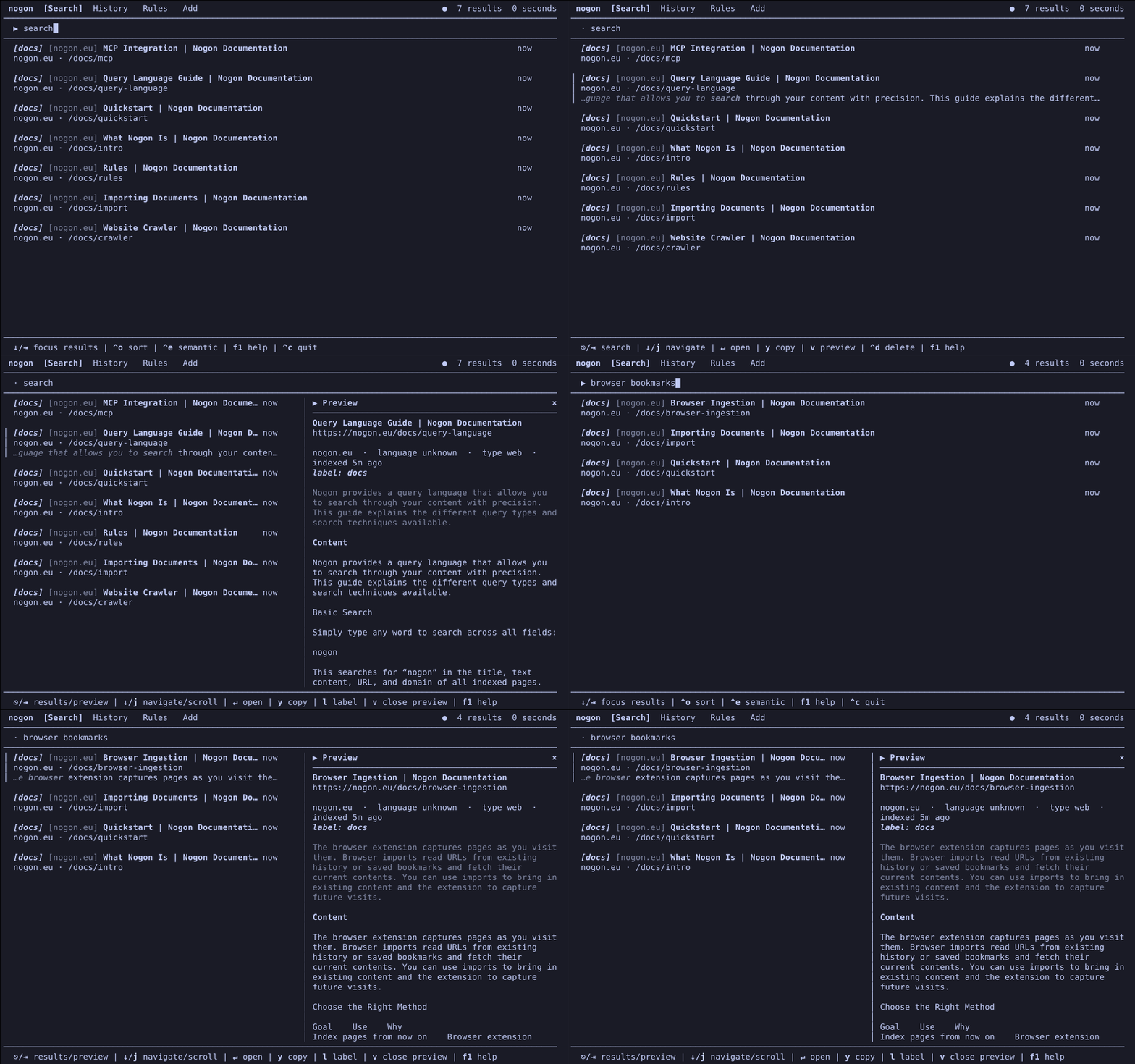
- Full-text search across web pages and local files
- Automatic indexing with Firefox and Chrome extensions
- Advanced queries with filters, phrases, wildcards, and negation
- Optional semantic search through a configurable embeddings endpoint
- Website crawling
- Browser history and bookmark import
- Web, terminal, and MCP clients
- Separate documents and search results for multiple users
Details
- Last Updated
- Nov 27, 2026
- Created
- Jan 4, 2026
- Install Methods
- binarypackage-managerdockersource
- Requirements
- Go 1.26npmA C compiler for CGO dependencies
- Default Port
- 4433web interface and server
- Runtime / Stack
- GoDocker
- Privacy & Independence
- No TelemetryCloud: OptionalOffline Capable
- User Model
- Multi-User
- Deployment
Deployment: Docker Compose ✓Single Container — minimal hosting footprintsingle container
Run Nogon yourself
Pick how much you want to manage.
 HostingerSponsored
Full control
A small server, then Docker Compose.
About 20 minutes with Docker
 netcupBest match
Full control
A small server, then Docker Compose.
About 20 minutes with Docker
 Hetzner
Full control
A small server, then Docker Compose.
About 20 minutes with Docker
2 more ways to host


Some links earn us a commission. netcup pays us one and is our preferred VPS host. Hostinger is a paid sponsor and is listed first.
Is this your project? Sponsor a listing
Run Nogon with Docker Compose
Compose file from the Nogon project repository.
1 service
no resource limits declared
needs persistent storage (1 volume)
compose.yml · @ 5b43ab4 · scanned Nov 26, 2026
services:
  hister:
    image: ${NOGON_IMAGE:-${HISTER_IMAGE:-ghcr.io/asciimoo/hister:latest}}
    # Prefer the published image for `compose up`; `compose build` still uses
    # the source below and can reuse layers from the published image.
    pull_policy: missing
    build:
      context: .
      target: release
      cache_from:
        - ${NOGON_IMAGE:-${HISTER_IMAGE:-ghcr.io/asciimoo/hister:latest}}
        - type=registry,ref=${NOGON_CACHE_IMAGE:-${HISTER_CACHE_IMAGE:-ghcr.io/asciimoo/hister:buildcache}}
    container_name: hister
    init: true
    restart: unless-stopped
    read_only: true
    security_opt:
      - no-new-privileges:true
    cap_drop:
      - ALL
    ports:
      - '4433:4433'
    volumes:
      - hister_data:/hister/data
    tmpfs:
      - /tmp:noexec,nosuid,size=64m
    environment:
      HISTER__SERVER__ADDRESS: 0.0.0.0:4433
      HISTER__SERVER__BASE_URL: http://localhost:4433

volumes:
  hister_data:
This file may be out of date. Check the Nogon documentation for current setup steps.
Tags
Track your self-hosted stack
Bookmark software to try, rate tools you've used, and keep your collection in one place.
Alternatives to Nogon
Hister

sist2

Fess

Sosse
Related Software

Karakeep
Feather Wiki

Wallabag
Betula

ArchiveBox

Typesense

Wayback
