

HyCanvas
★ 253A self-hosted alternative to Canva, Miro, Figma
GNU Affero General Public License v3.0Open Core — Some Features Paid2 Containers — 2 containers — light hosting footprintDocker · Binary · SourceNeeds Postgres2+ active committers (12mo)
About
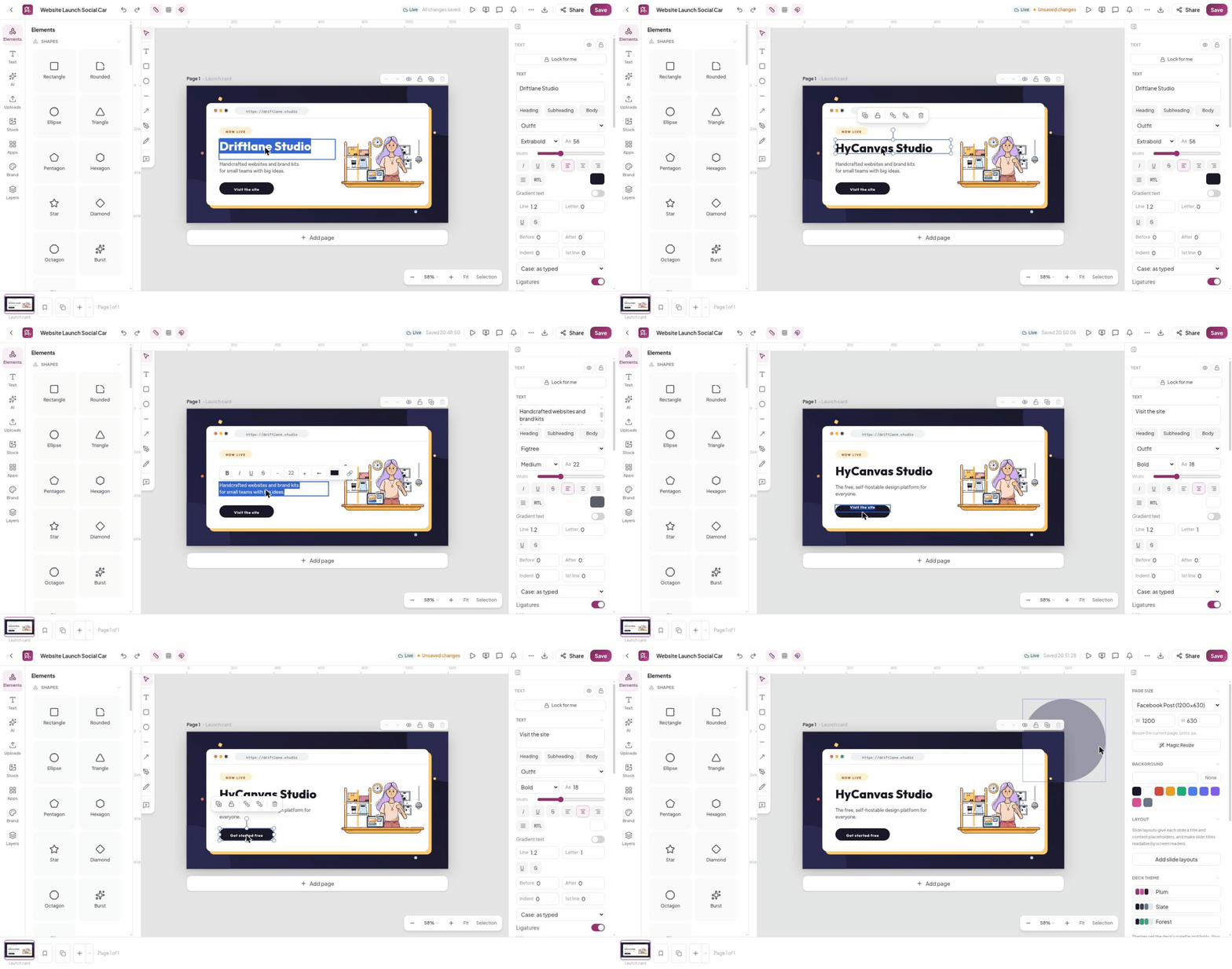
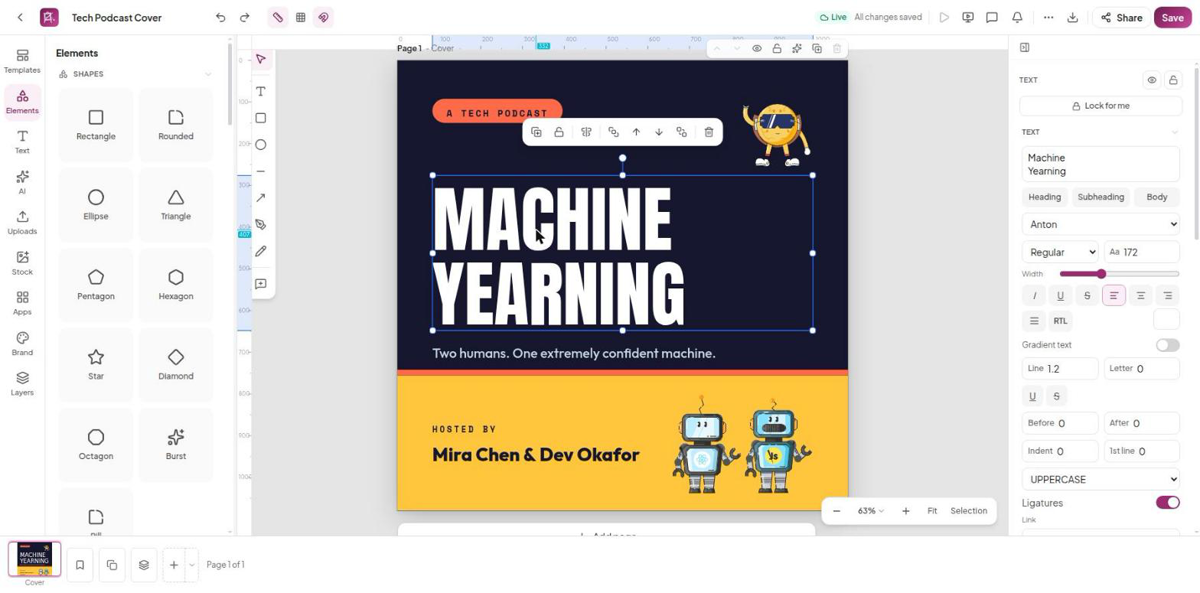
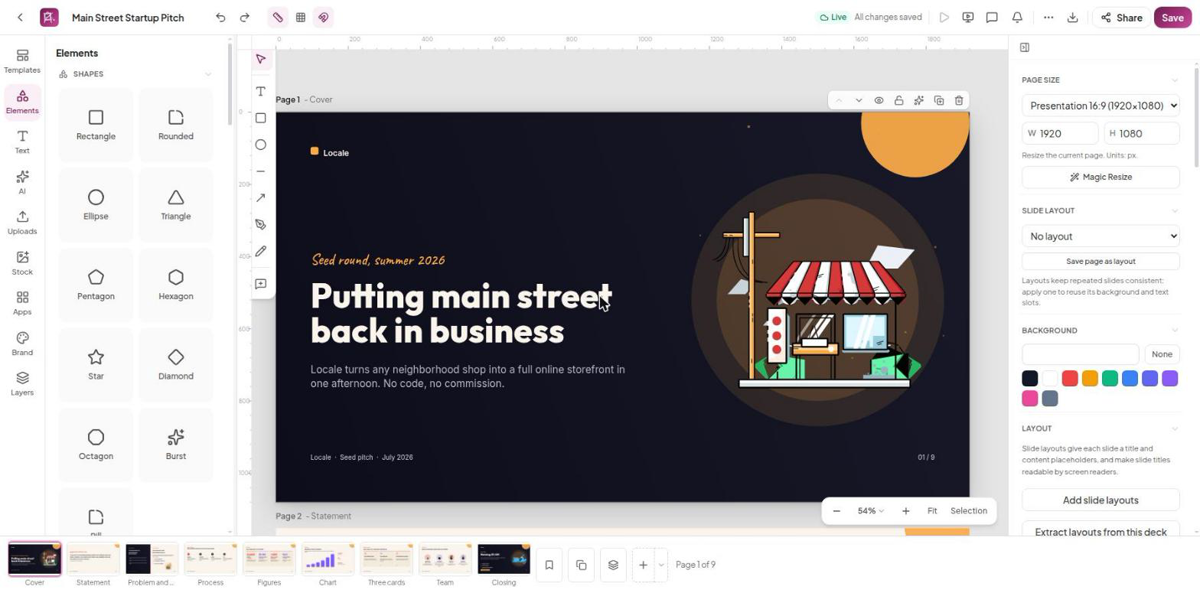
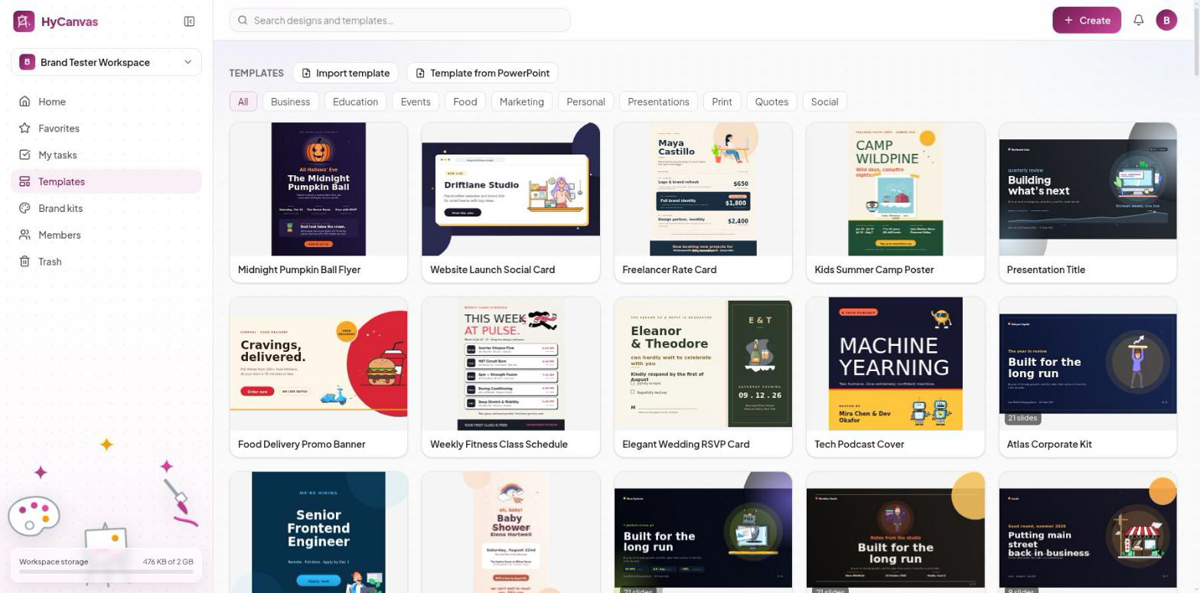
HyCanvas is an open-source, self-hostable design and content-creation platform aimed at people or teams that want a Canva-like editor they can run on their own infrastructure. It runs in the browser...
Community Ratings
No ratings yetNew this week
Read recap →Weekly Recap — Oct 16, 2026 – Oct 23, 2026Oct 23, 2026
Features
- Template gallery
- Editing tools
- Presentations
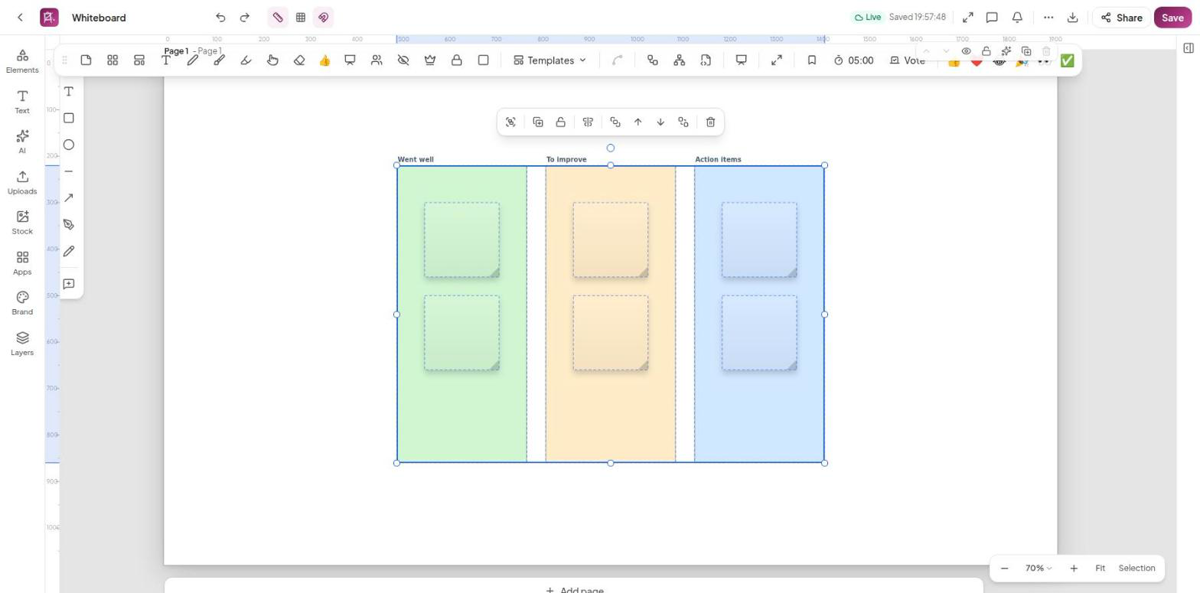
- Whiteboards
- Video timeline
- Docs and sheets
- Realtime co-editing
- Brand kits
- AI generation
- Exports
Details
- Last Updated
- Oct 26, 2026
- Created
- Jun 21, 2026
- Install Methods
- dockerbinarysource
- Requirements
- DockerPostgreSQLTLS reverse proxyS3 storage
- Authentication
- oidc-ssolocal2fa
- API
- RESTWEBSOCKET
- Backup & Export
- native-exportfile-backup
- Privacy & Independence
- Cloud: Optional
- User Model
- Multi-User
- Deployment
Deployment: Docker Compose ✓2 Containers — light hosting footprintRuns as 2 containers
Run HyCanvas with Docker Compose
Compose file from the HyCanvas project repository.
2 services · database: postgres · infra: postgres
no resource limits declared
needs persistent storage (2 volumes)
docker-compose.prod.yml · @ ddaeda8 · scanned Oct 26, 2026
# HyCanvas - PRODUCTION stack (build from source).
#
#   docker compose -f docker-compose.prod.yml up --build -d
#
# Builds the single self-contained image (Dockerfile: Go binary with the frontend
# embedded), runs Postgres, applies migrations on boot, and serves the whole
# product at http://localhost:8005 with a container healthcheck and restart
# policy. Use this when you want to run YOUR source rather than the published
# image; `docker-compose.yml` is the default and pulls the published image
# instead. JWT_SECRET is REQUIRED - set it in .env (e.g. `openssl rand -hex 32`).
#
# Database: bundled by default; for a managed Postgres set EXTERNAL_DATABASE_URL
# and COMPOSE_PROFILES="" (empty) so the bundled `db` container does not start.
services:
  db:
    image: postgres:16-alpine
    restart: unless-stopped
    profiles: ["bundled"]
    environment:
      POSTGRES_USER: ${POSTGRES_USER:-postgres}
      POSTGRES_PASSWORD: ${POSTGRES_PASSWORD:-postgres}
      POSTGRES_DB: ${POSTGRES_DB:-hycanvas}
    volumes:
      - pgdata:/var/lib/postgresql/data
    healthcheck:
      test: ["CMD-SHELL", "pg_isready -U ${POSTGRES_USER:-postgres} -d ${POSTGRES_DB:-hycanvas}"]
      interval: 5s
      timeout: 5s
      retries: 12

  app:
    build:
      context: .
      dockerfile: Dockerfile
    restart: unless-stopped
    # required:false so the app still starts in EXTERNAL mode (bundled db off).
    depends_on:
      db:
        condition: service_healthy
        required: false
    ports:
      - "${APP_PORT:-8005}:8005"
    # Secrets/config (JWT_SECRET, AI_SECRET, OIDC_*, VAPID_*, SMTP_*, S3_*, ...)
    # come from .env; the explicit values below win over it for the Docker wiring.
    env_file:
      - path: .env
        required: false
    environment:
      NODE_ENV: production
      PORT: "8005"
      DB_AUTO_MIGRATE: "true"
      # Plain http://localhost by default, so cookies must not be Secure or login
      # fails. Set "true" once you serve over https / a TLS reverse proxy.
      COOKIE_SECURE: "false"
      # External managed Postgres when EXTERNAL_DATABASE_URL is set; otherwise the
      # in-network bundled-container URL from the POSTGRES_* credentials.
      DATABASE_URL: "${EXTERNAL_DATABASE_URL:-postgresql://${POSTGRES_USER:-postgres}:${POSTGRES_PASSWORD:-postgres}@db:5432/${POSTGRES_DB:-hycanvas}?schema=public}"
      # Single-instance self-host: no Redis. A REDIS_URL in your .env is for native
      # dev (host Redis); in the container localhost is not the host and this compose
      # ships no redis service, so a set-but-unreachable REDIS_URL crash-loops the app
      # on boot. Force it empty here. For multi-instance, add a redis service and set
      # REDIS_URL to redis://<service>:6379/0.
      REDIS_URL: ""
      # Local-file storage on the container volume; set S3_* in .env to use object
      # storage instead.
      STORAGE_DRIVER: ${STORAGE_DRIVER:-local}
      LOCAL_STORAGE_PATH: /app/.data/storage
    volumes:
      - storage:/app/.data/storage
    healthcheck:
      test: ["CMD-SHELL", "curl -fsS http://localhost:8005/healthz || exit 1"]
      interval: 30s
      timeout: 10s
      retries: 3
      start_period: 40s

volumes:
  pgdata:
  storage:
This file may be out of date. Check the HyCanvas documentation for current setup steps.
Track your self-hosted stack
Bookmark software to try, rate tools you've used, and keep your collection in one place.
Metadata extracted from README on Oct 26, 2026
Related Software

Cap
23.8k
Cap is an open source screen recording platform for creating, editing, and sharing polished videos with team collaboration features.
Video EditingCopyleft LicenseMedia Management+1
5 ContainersTelemetry: Opt-Out

Recordly
35.2k
Recordly is an open-source desktop screen recorder and editor for creating polished demo videos, walkthroughs, and product clips with zooms, cursor effects, webcam overlays, and export tools.
Media ManagementVideo EditingFully FOSS
Fully FOSS

OpenCut
96.2k
OpenCut is a free and open source video editor for web, desktop, and mobile.
Video EditingMedia ManagementAutomation Tools+1

OmniTools
10.4k
OmniTools is a self-hosted web app that provides a collection of everyday online tools for working with images, videos, PDFs, text, dates, math, and data.
Miscellaneous ToolsPermissive LicenseDocument Management+3

filmcraft
16.3k
FilmCraft is a non-linear video editor that recreates Adobe Premiere Pro’s workflow in pure Rust, with editing, color grading, effects, audio, titles, and browser support via WebAssembly.
Video EditingMedia ManagementFully FOSS
Fully FOSS

OpenReel Video
5.5k
A browser-based, client-side video editor for professional editing without uploads or installs.
Video EditingMedia ManagementSelf Hosting Solutions
Single Container

Omniclip
1.5k
Omniclip is a free and open source browser-based video editor that runs locally, stores projects on the user's device, and avoids cloud uploads.
Video EditingMedia Management

Lottie Tools
53
An open-source web-based editor for creating, editing, importing, and exporting Lottie animations, with a companion CLI tool to convert Lottie JSON to GIF.
Media ManagementPermissive LicenseVideo Editing
2 Containers
Digitranscode
2
Convert audio files and videos directly in the browser (documentation in French).
Miscellaneous ToolsMedia ManagementVideo Editing+2
Fully FOSS
Digimerge
2
Assemble audio and video files directly in your browser (documentation in French).
Miscellaneous ToolsVideo EditingMedia Management+3
Fully FOSS
Digicut
1
Cut audio and video files using FFMPEG.wasm (documentation in French).
Miscellaneous ToolsCopyleft LicenseMedia Management+1

openscreen
39.9k
OpenScreen is a free, open-source screen recording app for creating simple product demos and walkthroughs.
Media ManagementVideo EditingCopyleft License+1