


Dawarich
★ 11.0kA self-hosted alternative to Google Maps
About
Community Ratings
No ratings yetNew this week
Read recap →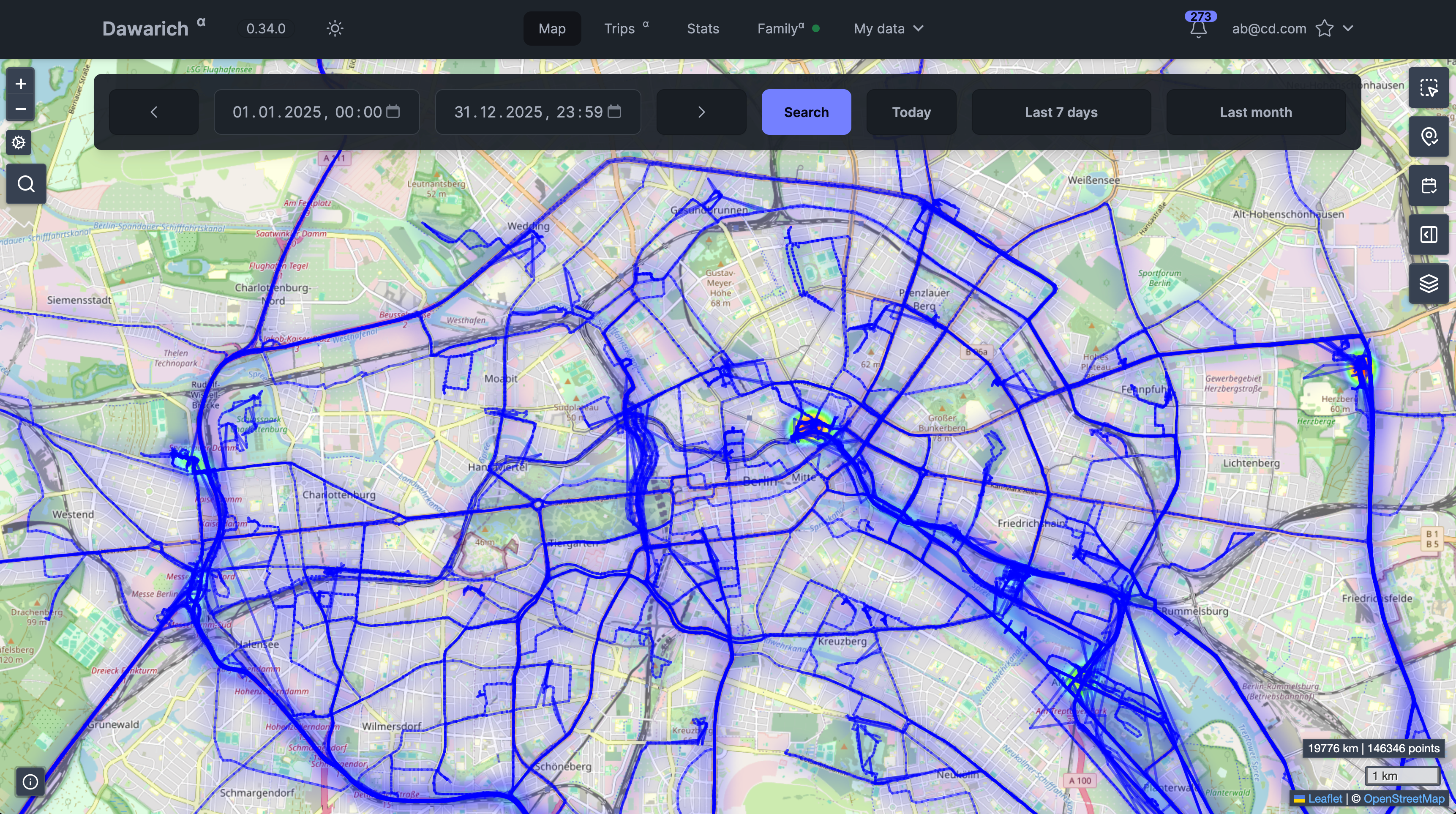
Features
- Live location tracking
- Interactive map visualization
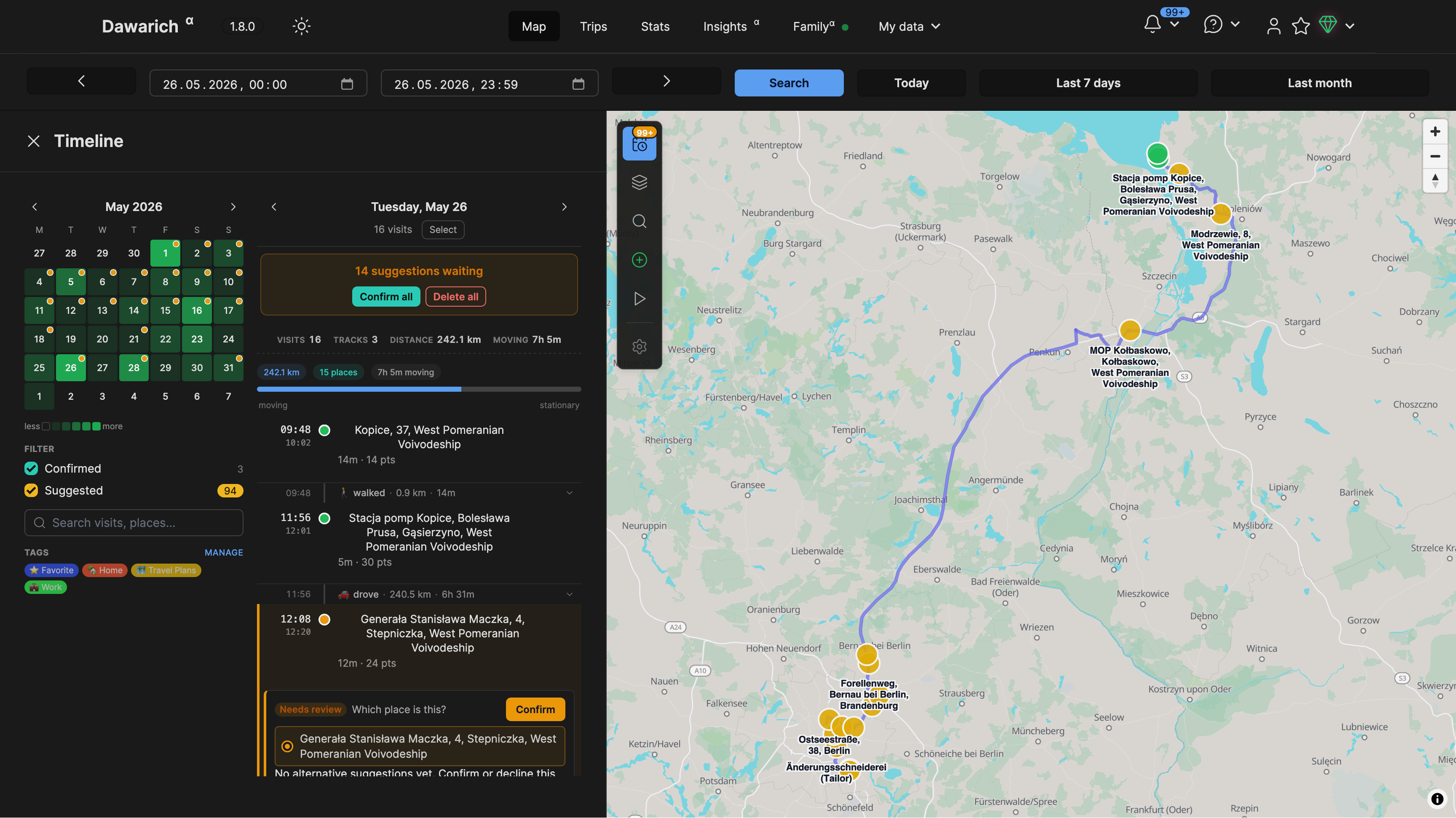
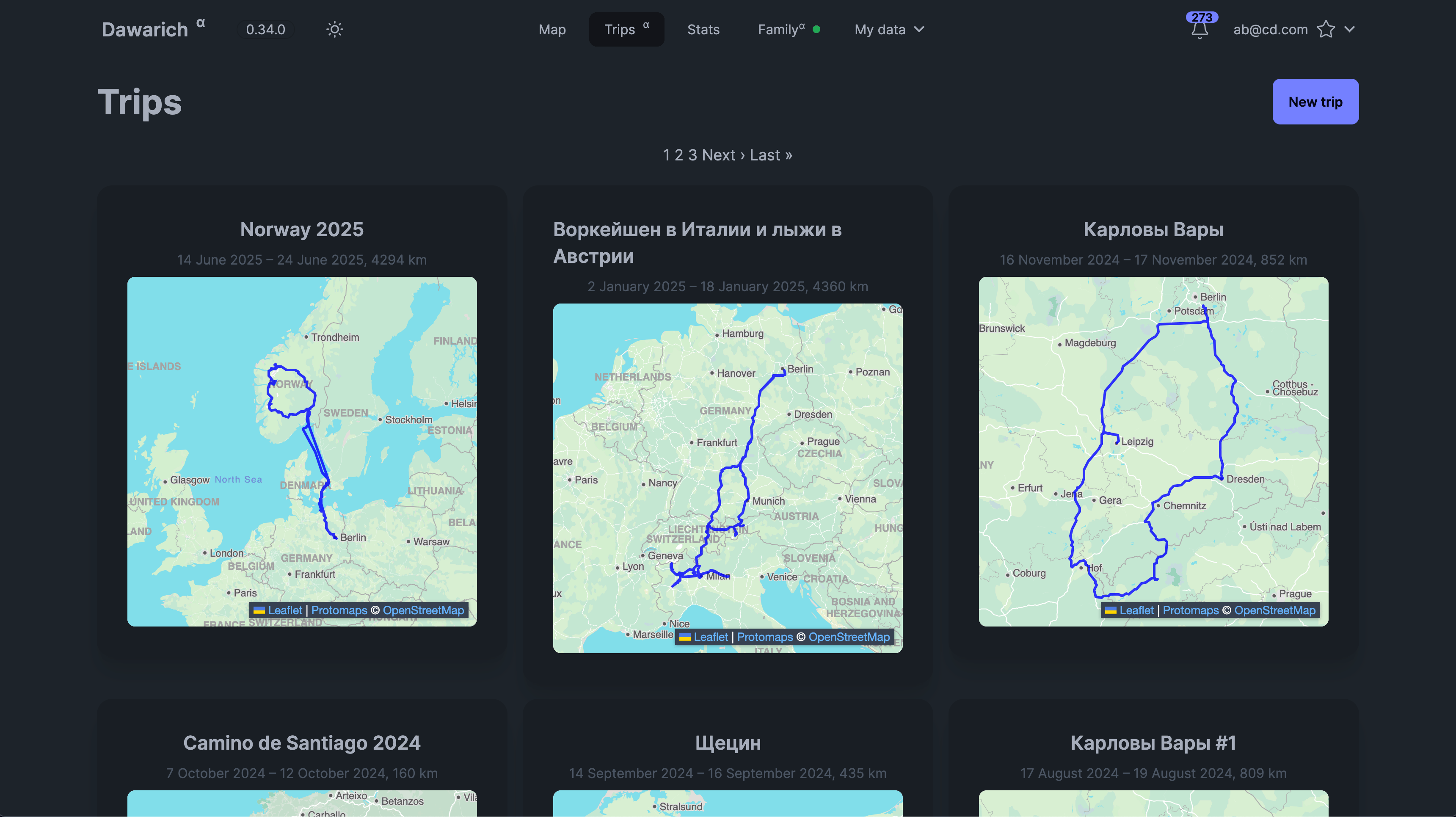
- Trips and route analysis
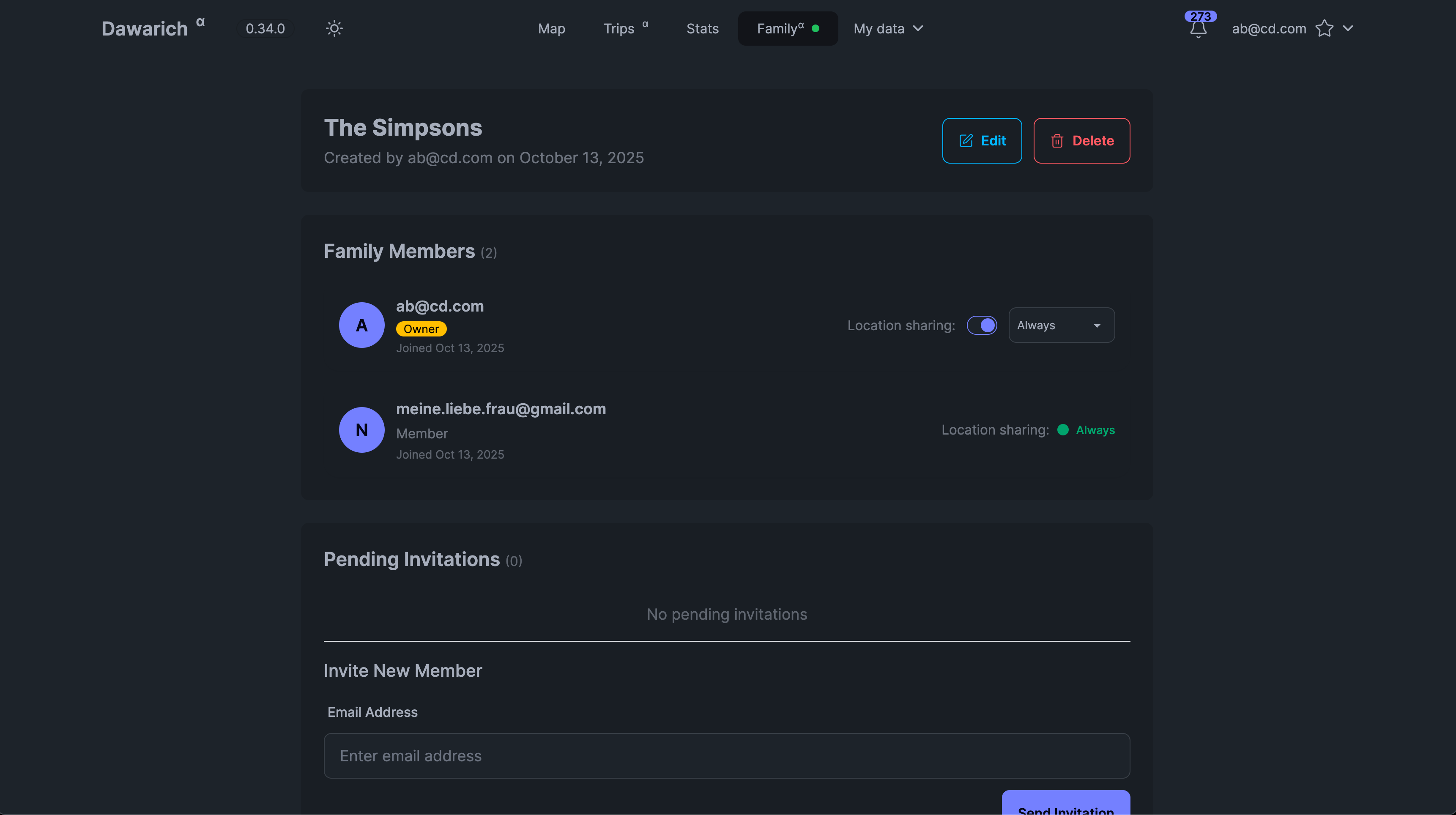
- Family location sharing
- Places and visit attribution
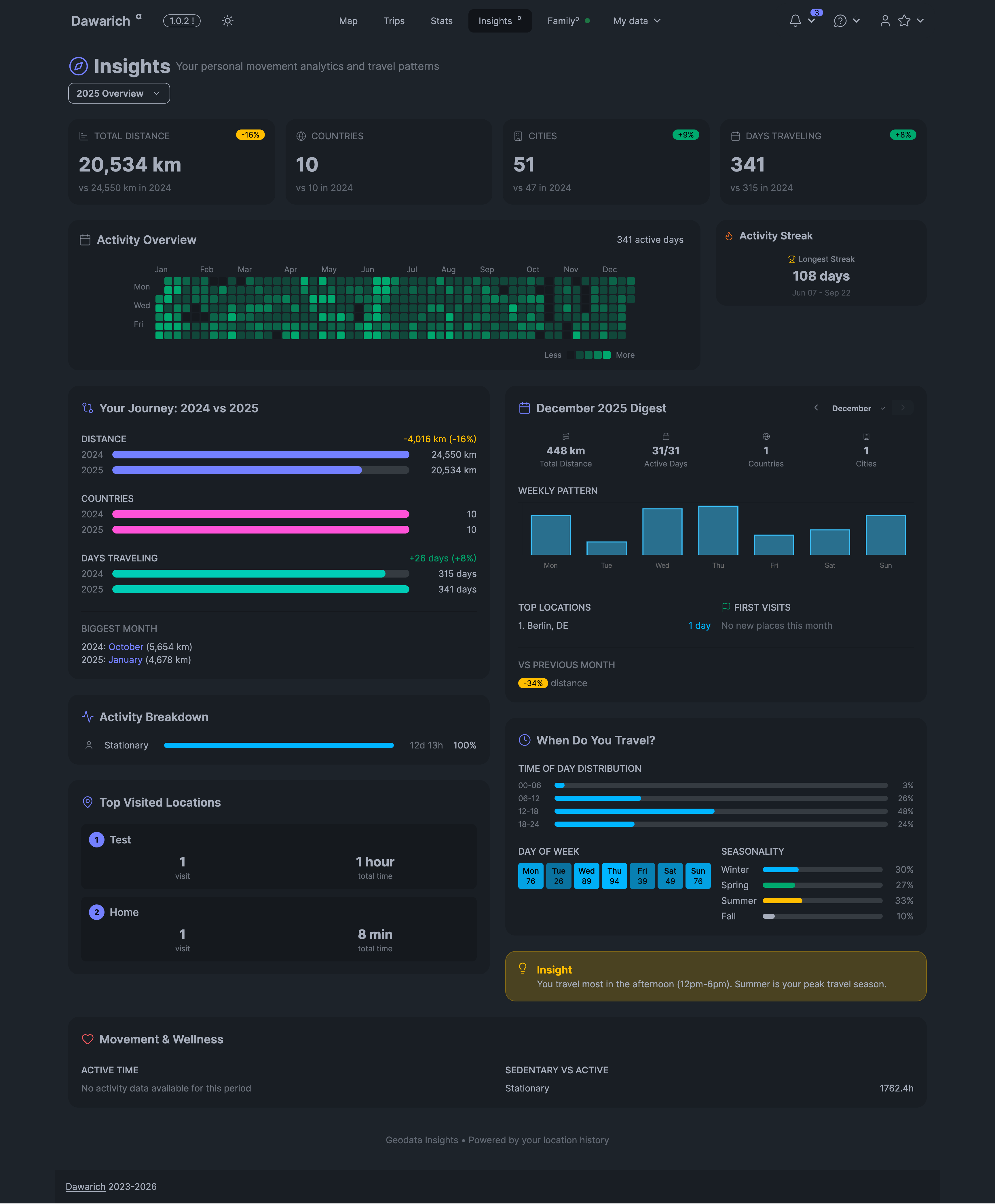
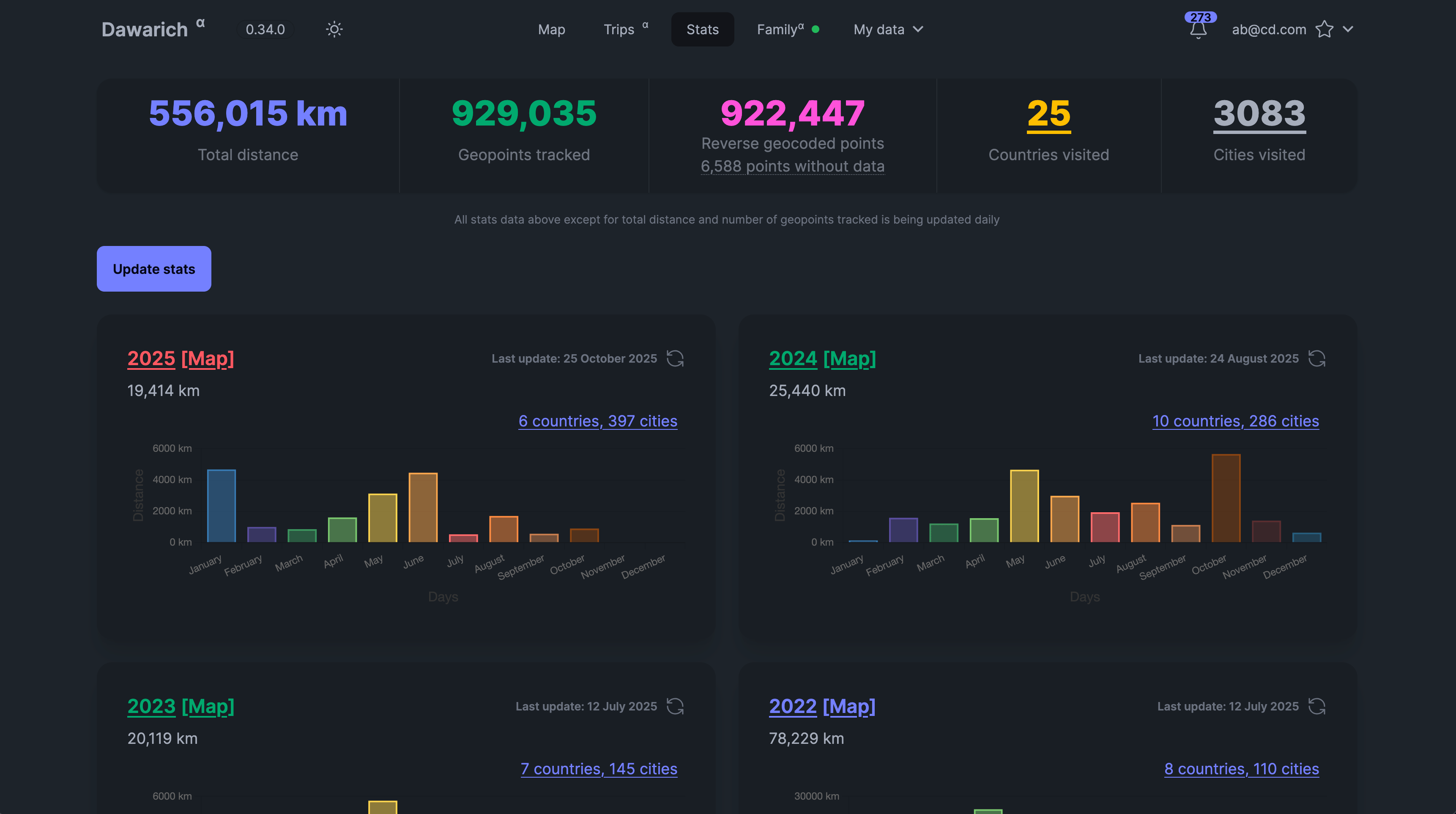
- Location statistics
- Insights
- Days in country
- Photo geodata integration
- Import/export of location data
Details
- Last Updated
- Nov 26, 2026
- Created
- Mar 24, 2024
- Install Methods
- dockerdocker-composesource
- Requirements
- Docker
- Default Port
- 3000web app
- Authentication
- local
- Backup & Export
- file-backupnative-export
- Runtime / Stack
- Docker
- Privacy & Independence
- No Cloud Required
- User Model
- Multi-User
- Deployment
Deployment: Docker Compose ✓3 Containers — light hosting footprintRuns as 3 containers
Run Dawarich yourself
Pick how much you want to manage.
 HostingerSponsored
One click
Hostinger template, runs in your own Hostinger account.
About 5 minutes to running
 netcupBest match
Full control
A small server, then Docker Compose.
About 20 minutes with Docker
 Hetzner
Full control
A small server, then Docker Compose.
About 20 minutes with Docker
3 more ways to host


Some links earn us a commission. netcup pays us one and is our preferred VPS host. Hostinger is a paid sponsor and is listed first.
Is this your project? Sponsor a listing
Run Dawarich with Docker Compose
Compose file from the Dawarich project repository.
3 services · database: postgis · infra: redis, postgis
≈4.0 GB RAM requested (from Docker memory limits)
needs persistent storage (7 volumes)
docker/docker-compose.yml · @ f6b79c9 · scanned Nov 25, 2026
# full list of environment variables with descriptions can be found in the documentation:
# https://dawarich.app/docs/self-hosting/environment-variables/

networks:
  dawarich:

services:
  dawarich_redis:
    image: redis:8-alpine
    container_name: dawarich_redis
    command: >
      redis-server
      --save 900 1
      --save 300 10
      --appendonly no
    networks:
      - dawarich
    volumes:
      - dawarich_shared:/data
    restart: always
    healthcheck:
      test: [ "CMD", "redis-cli", "--raw", "incr", "ping" ]
      interval: 10s
      retries: 5
      start_period: 30s
      timeout: 10s

  dawarich_db:
    image: postgis/postgis:17-3.5-alpine
    # image: imresamu/postgis:17-3.5-alpine # If you're on ARM architecture, use this image instead
    shm_size: 1G
    container_name: dawarich_db
    volumes:
      - dawarich_db_data:/var/lib/postgresql/data
      - dawarich_shared:/var/shared
    networks:
      - dawarich
    environment:
      POSTGRES_USER: ${POSTGRES_USER:-postgres}
      POSTGRES_PASSWORD: ${POSTGRES_PASSWORD:-password}
      POSTGRES_DB: ${POSTGRES_DB:-dawarich_development}
    restart: always
    healthcheck:
      test: [ "CMD-SHELL", "pg_isready -U ${POSTGRES_USER:-postgres} -d ${POSTGRES_DB:-dawarich_development}" ]
      interval: 10s
      retries: 5
      start_period: 30s
      timeout: 10s
    # command: postgres -c config_file=/etc/postgresql/postgresql.conf # Use custom config, uncomment if you want to use a custom config

  dawarich_app:
    image: freikin/dawarich:latest
    container_name: dawarich_app
    volumes:
      - dawarich_public:/var/app/public
      - dawarich_watched:/var/app/tmp/imports/watched
      - dawarich_storage:/var/app/storage
      - dawarich_db_data:/dawarich_db_data
    networks:
      - dawarich
    ports:
      - "${DAWARICH_APP_PORT:-3000}:3000"
    stdin_open: true
    tty: true
    entrypoint: web-entrypoint.sh
    command: ['bin/rails', 'server', '-p', '3000', '-b', '::']
    restart: unless-stopped
    stop_grace_period: 60s
    environment:
      RAILS_ENV: ${RAILS_ENV:-production}
      ### To run under a non-root user, set PUID/PGID here (do NOT use `user:`).
      # PUID: ${PUID:-1000}
      # PGID: ${PGID:-1000}
      REDIS_URL: ${REDIS_URL:-redis://dawarich_redis:6379}
      DATABASE_HOST: ${DATABASE_HOST:-dawarich_db}
      DATABASE_PORT: ${DATABASE_PORT:-5432}
      DATABASE_USERNAME: ${DATABASE_USERNAME:-postgres}
      DATABASE_PASSWORD: ${DATABASE_PASSWORD:-password}
      DATABASE_NAME: ${DATABASE_NAME:-dawarich_development}
      APPLICATION_HOSTS: ${APPLICATION_HOSTS:-localhost,::1,127.0.0.1}
      TIME_ZONE: ${TIME_ZONE:-Europe/London}
      APPLICATION_PROTOCOL: ${APPLICATION_PROTOCOL:-http}
      PROMETHEUS_EXPORTER_ENABLED: ${PROMETHEUS_EXPORTER_ENABLED:-false}
      SECRET_KEY_BASE: ${SECRET_KEY_BASE:-"CHANGE_ME"}
      RAILS_LOG_TO_STDOUT: ${RAILS_LOG_TO_STDOUT:-true}
      SELF_HOSTED: ${SELF_HOSTED:-true}
      STORE_GEODATA: ${STORE_GEODATA:-true}
      SIDEKIQ_EMBEDDED: 'true'
      WEB_CONCURRENCY: '0'
      BACKGROUND_PROCESSING_CONCURRENCY: ${BACKGROUND_PROCESSING_CONCURRENCY:-2}
      ### OTP encryption keys are required if you want to use 2FA
      # OTP_ENCRYPTION_PRIMARY_KEY: ${OTP_ENCRYPTION_PRIMARY_KEY:-}
      # OTP_ENCRYPTION_DETERMINISTIC_KEY: ${OTP_ENCRYPTION_DETERMINISTIC_KEY:-}
      # OTP_ENCRYPTION_KEY_DERIVATION_SALT: ${OTP_ENCRYPTION_KEY_DERIVATION_SALT:-}
    logging:
      driver: "json-file"
      options:
        max-size: ${LOG_MAX_SIZE:-100m}
        max-file: ${LOG_MAX_FILE:-5}
    healthcheck:
      test: [ "CMD-SHELL", "wget -qO - http://127.0.0.1:3000/api/v1/health | grep -q '\"status\"\\s*:\\s*\"ok\"'" ]
      interval: 10s
      retries: 30
      start_period: 30s
      timeout: 10s
    depends_on:
      dawarich_db:
        condition: service_healthy
        restart: true
      dawarich_redis:
        condition: service_healthy
        restart: true
    deploy:
      resources:
        limits:
          cpus: ${APP_CPU_LIMIT:-1.00}
          memory: ${APP_MEMORY_LIMIT:-4G}


volumes:
  dawarich_db_data:
  dawarich_shared:
  dawarich_public:
  dawarich_watched:
  dawarich_storage:
This file may be out of date. Check the Dawarich documentation for current setup steps.
Tags
Track your self-hosted stack
Bookmark software to try, rate tools you've used, and keep your collection in one place.
Alternatives to Dawarich

wanderer

Traccar
Related Software

OwnTracks Recorder

ChronoFrame

Your Spotify

PhotoPrism

Geo2tz

Traggo
oxitraffic

Genea.app

Statistics for Strava
