


autobrr
★ 3.2kAbout
Community Ratings
No ratings yetNew this week
Read recap →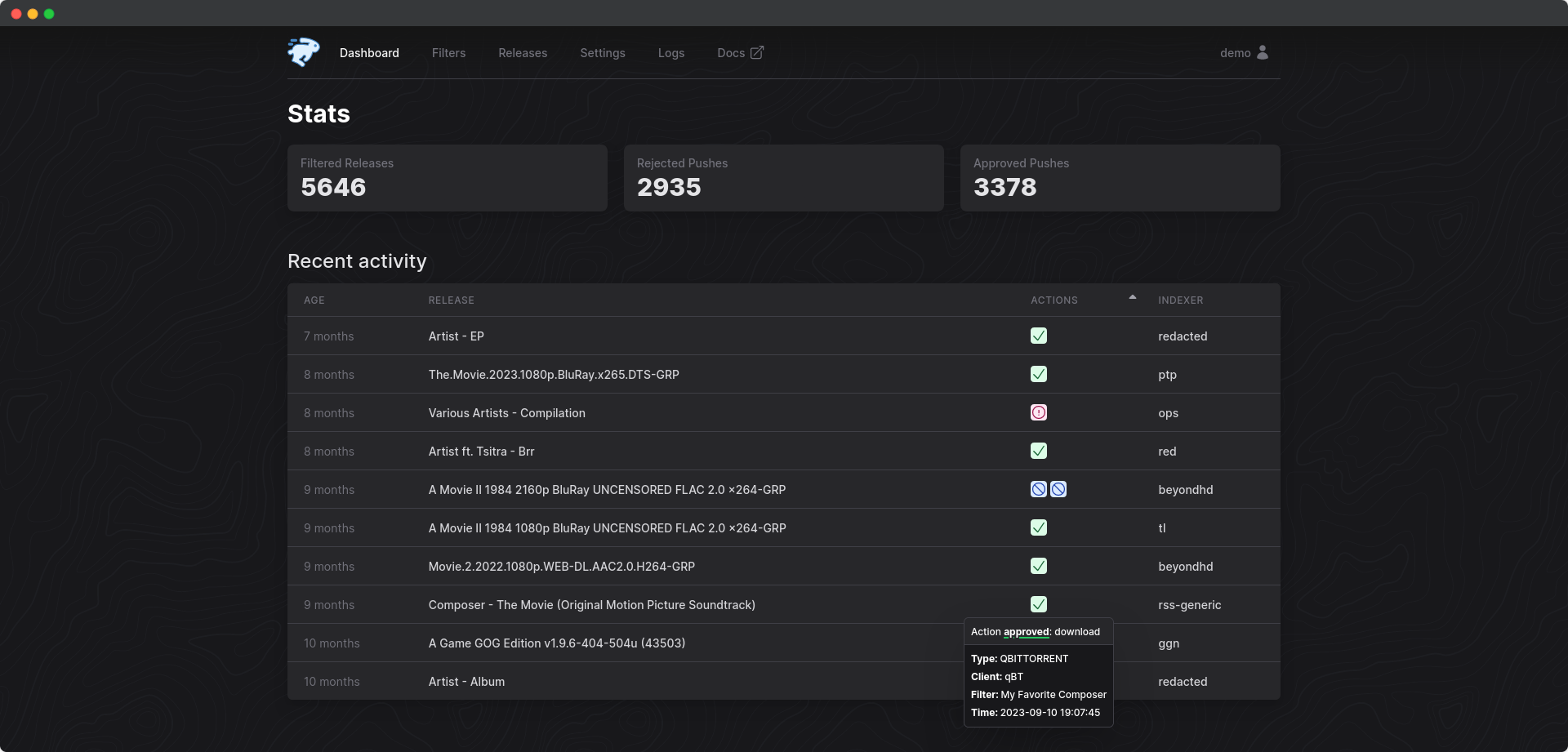
Features
- Real-time IRC announcement monitoring
- Support for 100+ torrent trackers
- RSS, Torznab, and Newznab feeds
- Torrent and Usenet filtering with RegEx
- Torrent magnet support
- Integrations with torrent, Usenet, and *arr clients
- Watch-folder actions and custom scripts
- Webhook integrations
- Notifications through multiple services
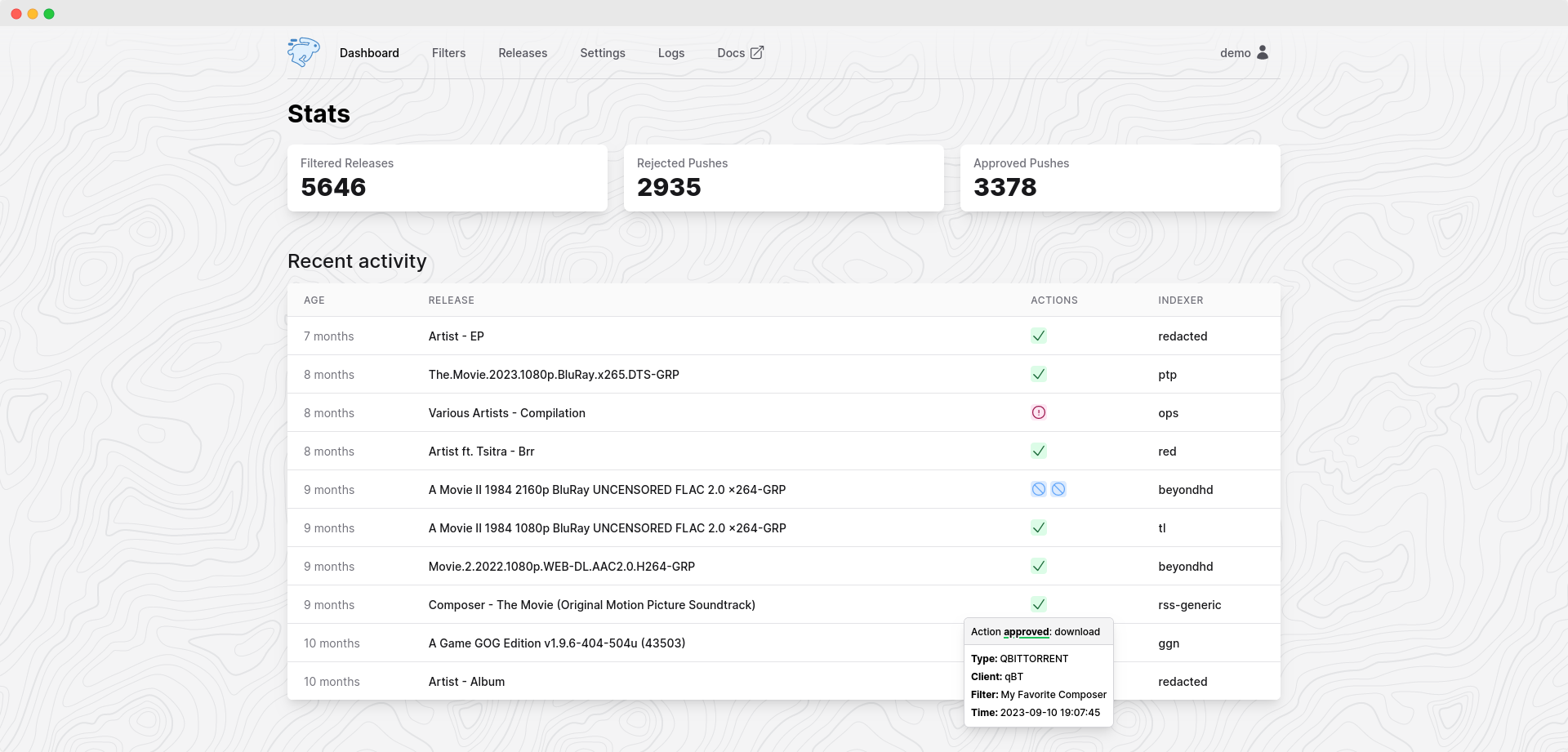
- Mobile-friendly web UI with dark mode
Details
- Last Updated
- Nov 28, 2026
- Created
- Aug 11, 2021
- Install Methods
- dockerdocker-composekubernetespackage-managerbinarysource
- Requirements
- PostgreSQL or SQLite (supported database engines)
- Default Port
- 7474web UI
- Authentication
- localoidc-sso
- Theming
- Dark mode
- Deployment
Deployment: Docker Compose ✓3 Containers — light hosting footprintRuns as 3 containers
Run autobrr yourself
Pick how much you want to manage.
 HostingerSponsored
One click
Hostinger template, runs in your own Hostinger account.
About 5 minutes to running
 netcupBest match
Full control
A small server, then Docker Compose.
About 20 minutes with Docker
 Hetzner
Full control
A small server, then Docker Compose.
About 20 minutes with Docker
5 more ways to host
 DigitalOceanA small server, then Docker Compose.(opens in a new tab)
 OVHcloudA small server, then Docker Compose.(opens in a new tab)
- HostingeraffiliateA small server, then Docker Compose.(opens in a new tab)
 UmbrelInstall it from Umbrel on your home server.(opens in a new tab)
 YunoHostInstall it from YunoHost on your home server.(opens in a new tab)
Some links earn us a commission. netcup pays us one and is our preferred VPS host. Hostinger is a paid sponsor and is listed first.
Is this your project? Sponsor a listing
Run autobrr with Docker Compose
Compose file from the autobrr project repository.
3 services · database: postgres · infra: postgres
no resource limits declared
needs persistent storage (3 volumes)
docker-compose.yml · @ 5fc3c93 · scanned Nov 26, 2026
---
services:
  autobrr:
#    image: ghcr.io/autobrr/autobrr:develop
    build:
      context: .
      dockerfile: Dockerfile
    container_name: autobrr
    volumes:
      - ./config:/config
    ports:
      - "7474:7474"
    restart: unless-stopped
#    environment:
#      AUTOBRR__POSTGRES_PASSWORD_FILE: /run/secrets/db_password
#    secrets:
#      - db_password

  postgres:
    image: postgres:12.10
    container_name: postgres
    volumes:
      - postgres:/var/lib/postgresql/data
    ports:
      - "5432:5432"
    environment:
      - POSTGRES_USER=autobrr
      - POSTGRES_PASSWORD=postgres
      - POSTGRES_DB=autobrr

  test_postgres:
    image: postgres:12.10
    container_name: autobrr_postgres_test
    volumes:
      - test_postgres:/var/lib/postgresql/data
    ports:
      - "5437:5432"
    environment:
      - POSTGRES_USER=testdb
      - POSTGRES_PASSWORD=testdb
      - POSTGRES_DB=autobrr

#secrets:
#  db_password:
#    file: db_password.txt

volumes:
  postgres:
  test_postgres:
This file may be out of date. Check the autobrr documentation for current setup steps.
Track your self-hosted stack
Bookmark software to try, rate tools you've used, and keep your collection in one place.
Related Software

Prowlarr

bitmagnet

Radarr

Sonarr

Jackett

Medusa

SABnzbd

HolyArrs

Ombi

pyLoad

Tracearr
