

shoutrrr
★ 458A self-hosted alternative to Buffer
Apache License 2.0Open Source — No PaywallSingle Container — single container — minimal hosting footprintDocker · Compose · SourceNo external DB10+ active committers (12mo)
About
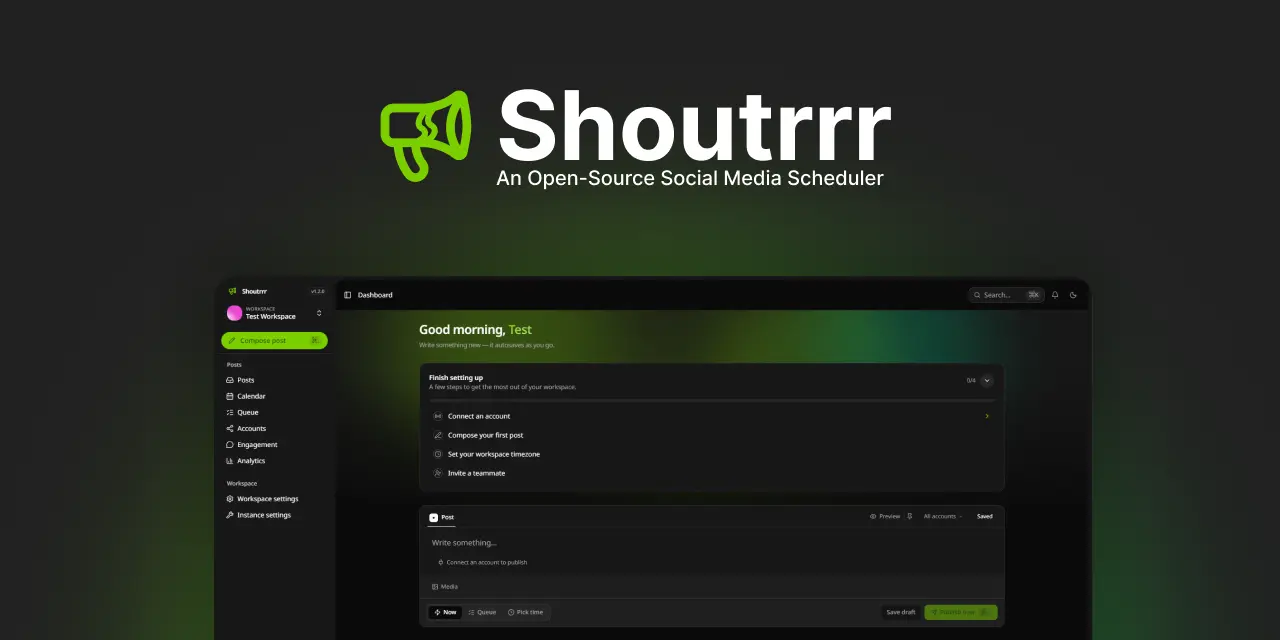
Shoutrrr is a self-hosted social media scheduling platform aimed at individuals, teams, agencies, and brands that want to manage publishing without relying on a third-party SaaS. It lets users...
Community Ratings
No ratings yetNew this week
Read recap →Weekly Recap — Oct 16, 2026 – Oct 23, 2026Oct 23, 2026
Features
- multi-platform publishing
- post scheduling
- recurring queue slots
- month calendar
- analytics
- multi-account publishing
- connected accounts
- workspaces and roles
- email invites
- two-factor authentication
Details
- Last Updated
- Oct 25, 2026
- Created
- Jun 12, 2026
- Install Methods
- dockerdocker-composesource
- Requirements
- SQLitePostgresRedisS3-compatible object storagereverse proxy
- Authentication
- oauthlocal2fa
- Backup & Export
- file-backup
- Privacy & Independence
- No Cloud Required
- User Model
- Multi-UserMulti-Tenant
- Deployment
Deployment: Docker Compose ✓Single Container — minimal hosting footprintsingle container
Run shoutrrr with Docker Compose
Compose file from the shoutrrr project repository.
1 service
no resource limits declared
needs persistent storage (2 volumes)
docker-compose.production.yaml · @ 83895b3 · scanned Oct 25, 2026
# Production deployment: pulls the prebuilt image from GHCR (no local build).
# `pull_policy: always` makes `up` re-pull the latest published image. One
# container whose supervisord runs the Octane web server plus the queue worker,
# scheduler, and (when toggled) SSR.
#
#   docker compose -f docker-compose.production.yaml up -d
#
#   INERTIA_SSR_ENABLED=true ... up   -> also runs the in-container SSR process.
#   QUEUE_WORKER_ENABLED=false /      -> disable the in-container worker/scheduler
#   SCHEDULER_ENABLED=false           (e.g. when running them elsewhere in the cloud).
#   Uncomment the postgres/redis services below to use them instead of SQLite.
#
# For Postgres set in your .env: DB_CONNECTION=pgsql, DB_HOST=postgres,
# DB_DATABASE=laravel, DB_USERNAME=laravel, DB_PASSWORD=<your-password>.
# For Redis set: CACHE_STORE=redis, QUEUE_CONNECTION=redis, REDIS_HOST=redis.
name: shoutrrr

x-environment: &app-env
    APP_ENV: "${APP_ENV:-production}"
    APP_KEY: "${APP_KEY}"
    APP_DEBUG: "${APP_DEBUG:-false}"
    APP_URL: "${APP_URL:-http://localhost:8080}"
    OCTANE_SERVER: "frankenphp"
    # Force https on generated URLs (redirects, route()) when behind a
    # TLS-terminating proxy/tunnel. Set OCTANE_HTTPS=true in that case.
    OCTANE_HTTPS: "${OCTANE_HTTPS:-false}"
    # Trust reverse-proxy forwarding headers (X-Forwarded-Proto/-Host/-Port) so
    # redirects and OAuth callback URLs use the public https scheme and rate
    # limits see the real client IP. Set `*` when only reachable via the proxy,
    # or a comma-separated IP/CIDR list. Unset trusts no proxies.
    TRUSTED_PROXIES: "${TRUSTED_PROXIES:-}"
    # Optional CDN/base URL for built assets. Leave unset to serve from APP_URL.
    ASSET_URL: "${ASSET_URL:-}"
    DB_CONNECTION: "${DB_CONNECTION:-sqlite}"
    # NOTE: for Postgres set DB_CONNECTION=pgsql AND override DB_DATABASE=laravel (the
    # sqlite-path default below is invalid for pgsql).
    DB_DATABASE: "${DB_DATABASE:-/var/www/html/database/sqlite/database.sqlite}"
    DB_HOST: "${DB_HOST:-postgres}"
    DB_PORT: "${DB_PORT:-5432}"
    DB_USERNAME: "${DB_USERNAME:-laravel}"
    DB_PASSWORD: "${DB_PASSWORD}"
    CACHE_STORE: "${CACHE_STORE:-database}"
    QUEUE_CONNECTION: "${QUEUE_CONNECTION:-database}"
    SESSION_DRIVER: "${SESSION_DRIVER:-database}"
    REDIS_HOST: "${REDIS_HOST:-redis}"
    REDIS_PORT: "${REDIS_PORT:-6379}"
    # In-container supervised processes — set to false to run them separately.
    QUEUE_WORKER_ENABLED: "${QUEUE_WORKER_ENABLED:-true}"
    QUEUE_WORKER_COUNT: "${QUEUE_WORKER_COUNT:-1}"
    SCHEDULER_ENABLED: "${SCHEDULER_ENABLED:-true}"
    # In-container SSR uses localhost; off by default.
    INERTIA_SSR_ENABLED: "${INERTIA_SSR_ENABLED:-false}"
    INERTIA_SSR_URL: "${INERTIA_SSR_URL:-http://127.0.0.1:13714}"

services:
    app:
        image: "ghcr.io/coollabsio/shoutrrr:latest"
        pull_policy: always
        restart: unless-stopped
        # Put any extra config in your .env (X_*, LINKEDIN_*, AWS_*,
        # OCTANE_HTTPS, ...) and it's passed straight through to the app.
        env_file:
            - path: .env
              required: false
        environment:
            <<: *app-env
        ports:
            - "${APP_PORT:-8080}:8080"
        volumes:
            - storage:/var/www/html/storage
            - sqlite:/var/www/html/database/sqlite
        stop_grace_period: 60s
        healthcheck:
            test: ["CMD", "healthcheck-octane"]
            start_period: 15s
            interval: 30s
            timeout: 10s
            retries: 3

    # Optional Postgres + Redis. The stack defaults to SQLite + the `database`
    # cache/queue/session driver, so these stay commented out. To use them,
    # uncomment the services (and their volumes) below and set in your .env:
    #   DB_CONNECTION=pgsql, DB_HOST=postgres, DB_DATABASE=laravel,
    #   DB_USERNAME=laravel, DB_PASSWORD=<your-password>,
    #   CACHE_STORE=redis, QUEUE_CONNECTION=redis, REDIS_HOST=redis
    #
    # postgres:
    #     image: "postgres:18-alpine"
    #     restart: unless-stopped
    #     environment:
    #         POSTGRES_DB: "${POSTGRES_DB:-laravel}"
    #         POSTGRES_USER: "${DB_USERNAME:-laravel}"
    #         POSTGRES_PASSWORD: "${DB_PASSWORD}"
    #     volumes:
    #         - pgdata:/var/lib/postgresql/data
    #     healthcheck:
    #         test: ["CMD-SHELL", "pg_isready -U ${DB_USERNAME:-laravel} -d ${POSTGRES_DB:-laravel}"]
    #         interval: 10s
    #         timeout: 5s
    #         retries: 5
    #
    # redis:
    #     image: "redis:alpine"
    #     restart: unless-stopped
    #     volumes:
    #         - redisdata:/data
    #     healthcheck:
    #         test: ["CMD", "redis-cli", "ping"]
    #         interval: 10s
    #         timeout: 5s
    #         retries: 5

volumes:
    storage:
    sqlite:
    # pgdata:    # uncomment with the postgres service above
    # redisdata: # uncomment with the redis service above
This file may be out of date. Check the shoutrrr website for current setup steps.
Tags
Track your self-hosted stack
Bookmark software to try, rate tools you've used, and keep your collection in one place.
Metadata extracted from README on Oct 25, 2026
Related Software

Mixpost
133
Mixpost is a social media management platform for scheduling content, managing accounts, and collaborating with teams.
Analytics ToolsAutomation ToolsSocial Media+4
Open Core

Postiz
37.7k
Postiz is a social media management platform for scheduling, automating, and analyzing content.
Analytics ToolsAutomation ToolsSocial Media+3
9 Containers

Socioboard
1.5k
Socioboard is a social media management and content marketing platform for planning, scheduling, managing, and reporting on social media activity.
Analytics ToolsSocial MediaAutomation Tools+3
Open Core

Upvote RSS
502
Generates rich RSS feeds from popular posts on social aggregation sites like Reddit, Hacker News, Lemmy, Lobsters, PieFed, Mbin, and GitHub.
RSS Feed ReadersSelf Hosting SolutionsAutomation Tools+3

FeedCord
321
FeedCord is a self-hosted RSS and YouTube feed reader that posts updates to Discord channels via webhooks.
RSS Feed ReadersPermissive LicenseAutomation Tools+2

MintHCM
439
MintHCM is an open-source, AI-native HCM platform for building and deploying customizable HR systems powered by AI agents.
HR ManagementTime TrackingSelf Hosting Solutions+3
3 Containers

Youtarr
1.8k
A self-hosted YouTube downloader that auto-downloads videos from subscribed channels and playlists, then organizes and syncs them with media servers like Plex, Jellyfin, and Emby.
Media ManagementMedia ServersAutomation Tools+2
2 Containers

Cronicle
5.9k
A multi-server task scheduler and runner with a web-based UI for scheduled, repeating, and on-demand jobs.
Automation ToolsTask RunnersScheduling and Bookings+2

Donetick
2.7k
Donetick is an open-source app for organizing and sharing tasks and chores with collaboration, scheduling, reminders, and automation features.
Task ManagementAutomation ToolsScheduling and Bookings+3

flowctl
342
An open-source self-service workflow execution platform for running and managing complex workflows.
Task RunnersScheduling and BookingsAuthentication Services+3
4 Containers

Cronmaster
1.4k
A web-based cron manager for viewing, creating, cloning, and deleting cron jobs and scripts, with system information, logging, and authentication.
Automation ToolsTask RunnersScheduling and Bookings+3

gocron
619
A Go and Vue.js task scheduler for defining recurring jobs in a YAML configuration file and running commands on cron schedules.
Automation ToolsPermissive LicenseTask Runners+2