

homelab-monitor
★ 227A self-hosted alternative to Datadog
MIT LicenseOpen Source — No PaywallSingle Container — single container — minimal hosting footprintCompose · SourceNo external DB9+ active committers (12mo)
About
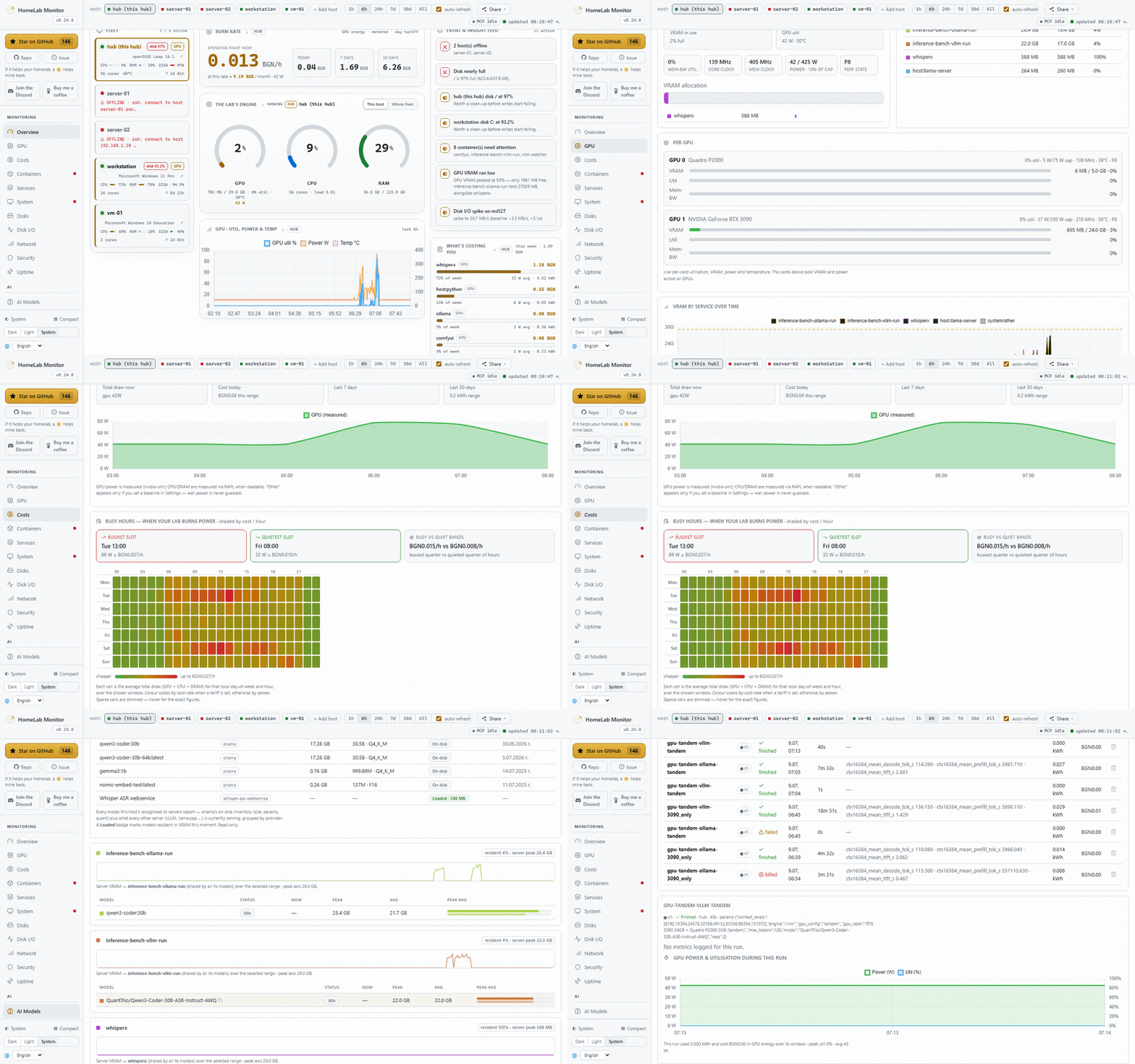
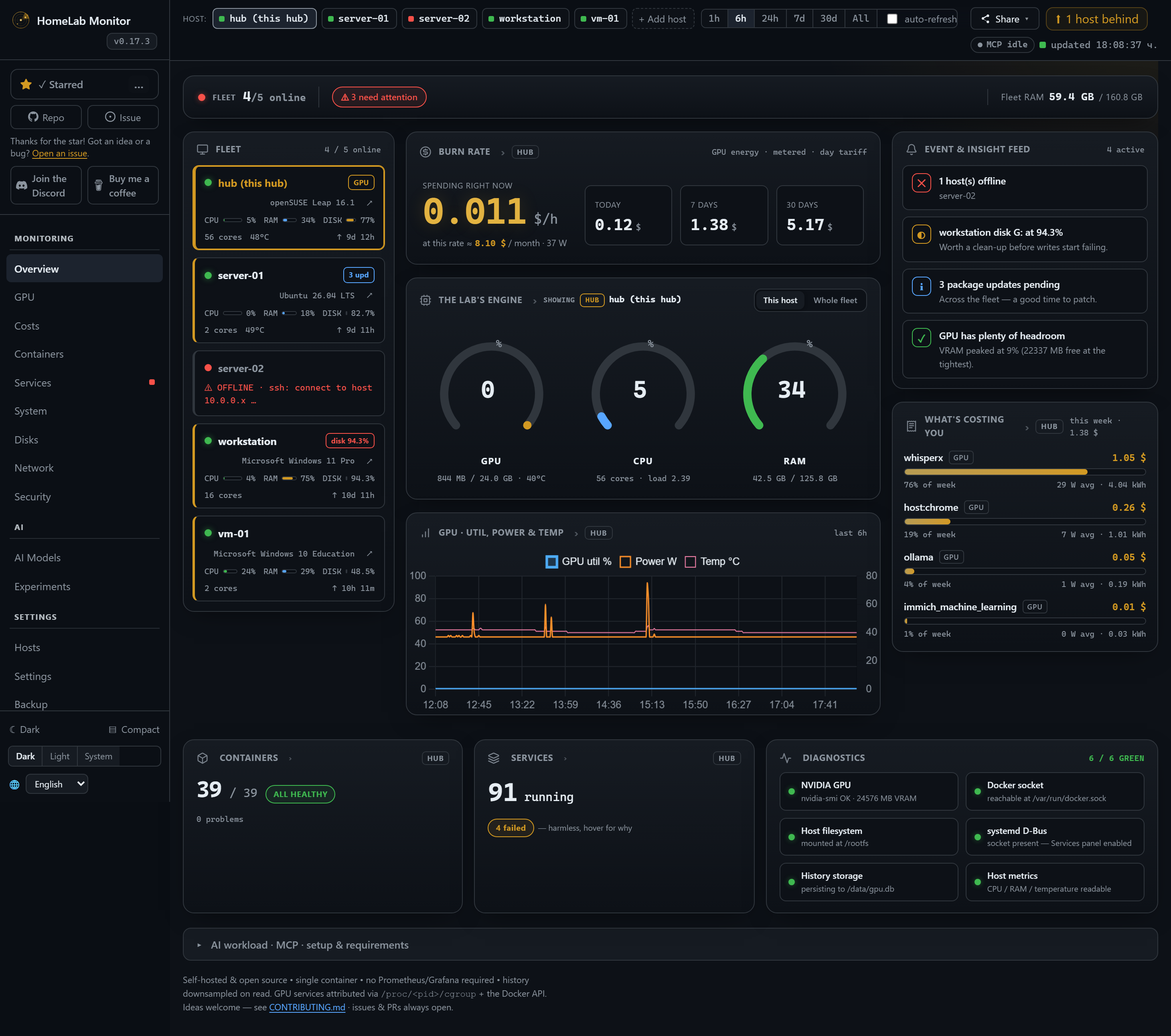
HomeLab Monitor is a self-hosted monitoring dashboard for home lab operators who want a single page for infrastructure, GPU usage, power costs, and AI workloads. It is designed for people running a...
Community Ratings
No ratings yetNew this week
Read recap →Weekly Recap — Oct 16, 2026 – Oct 23, 2026Oct 23, 2026
Features
- host overview
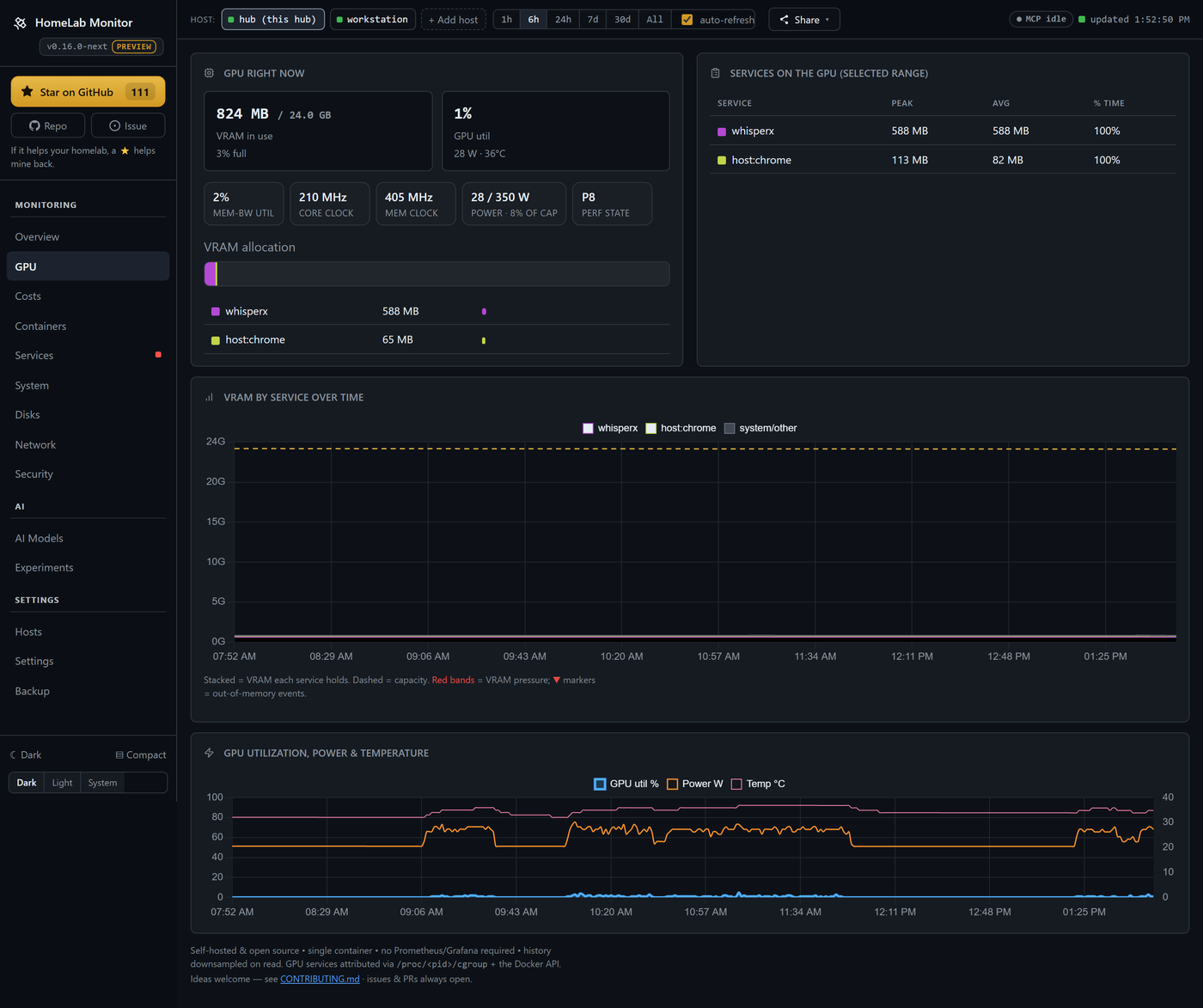
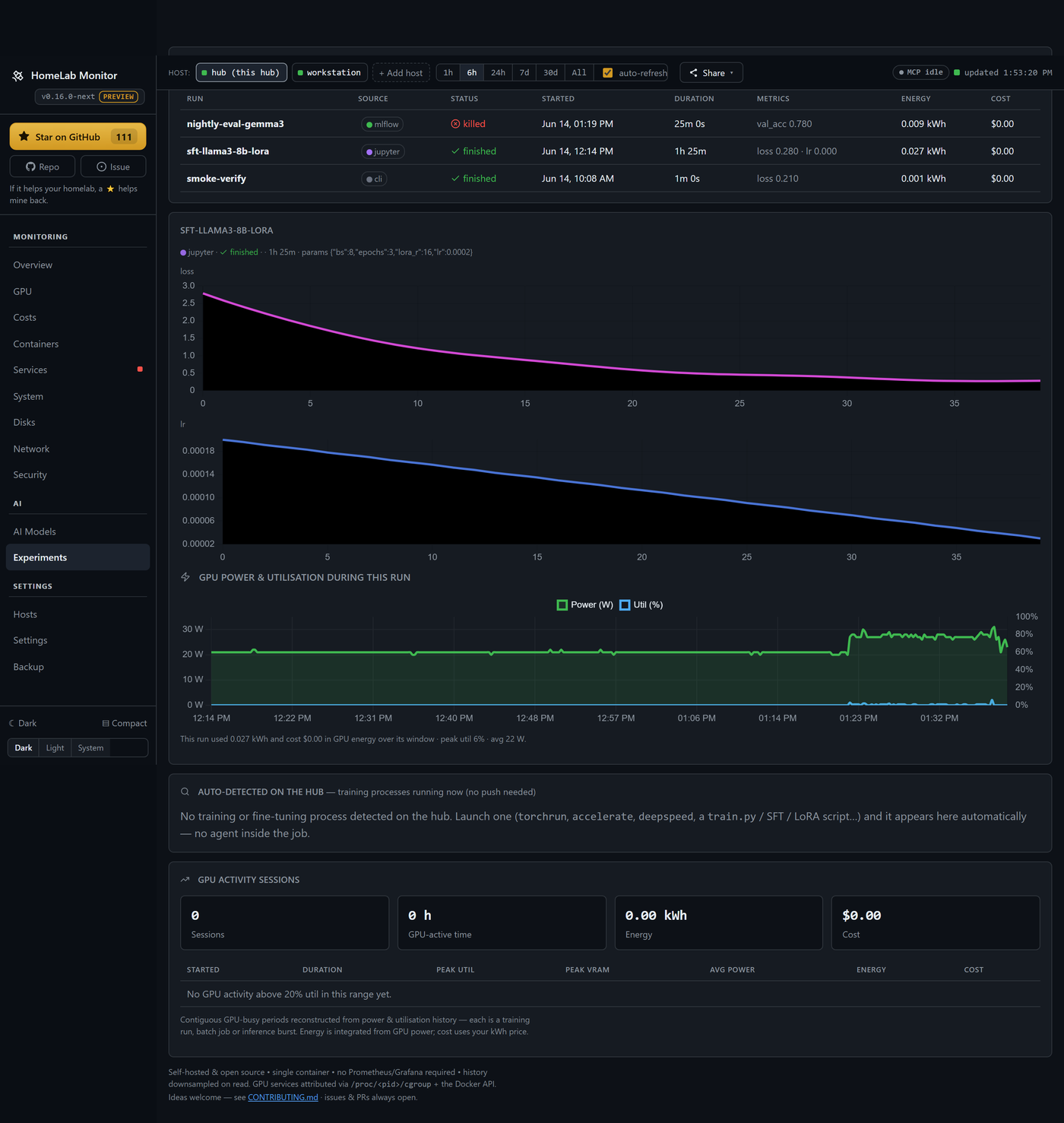
- GPU monitoring
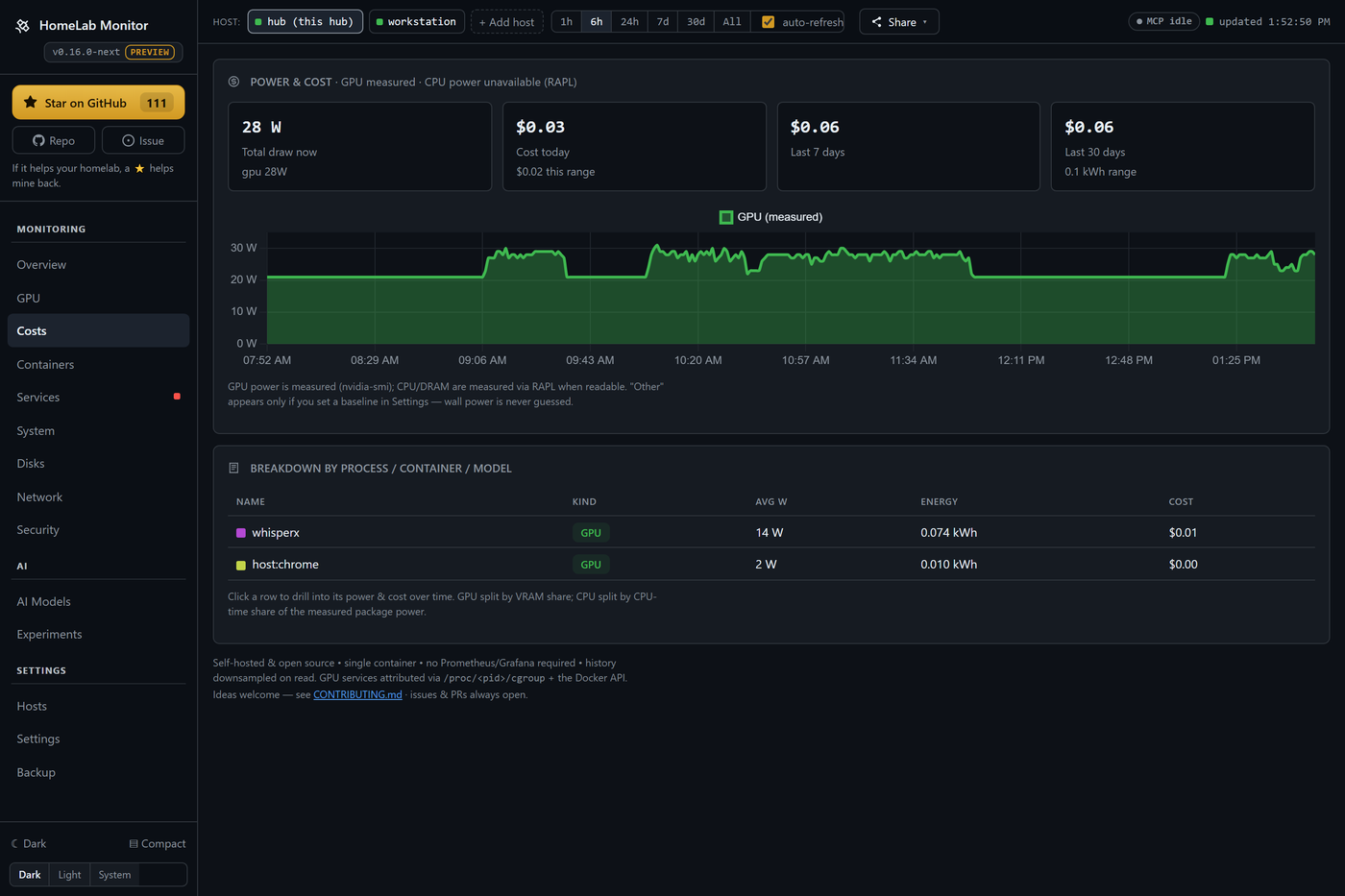
- power and cost tracking
- per-process and per-container usage
- training run tracking
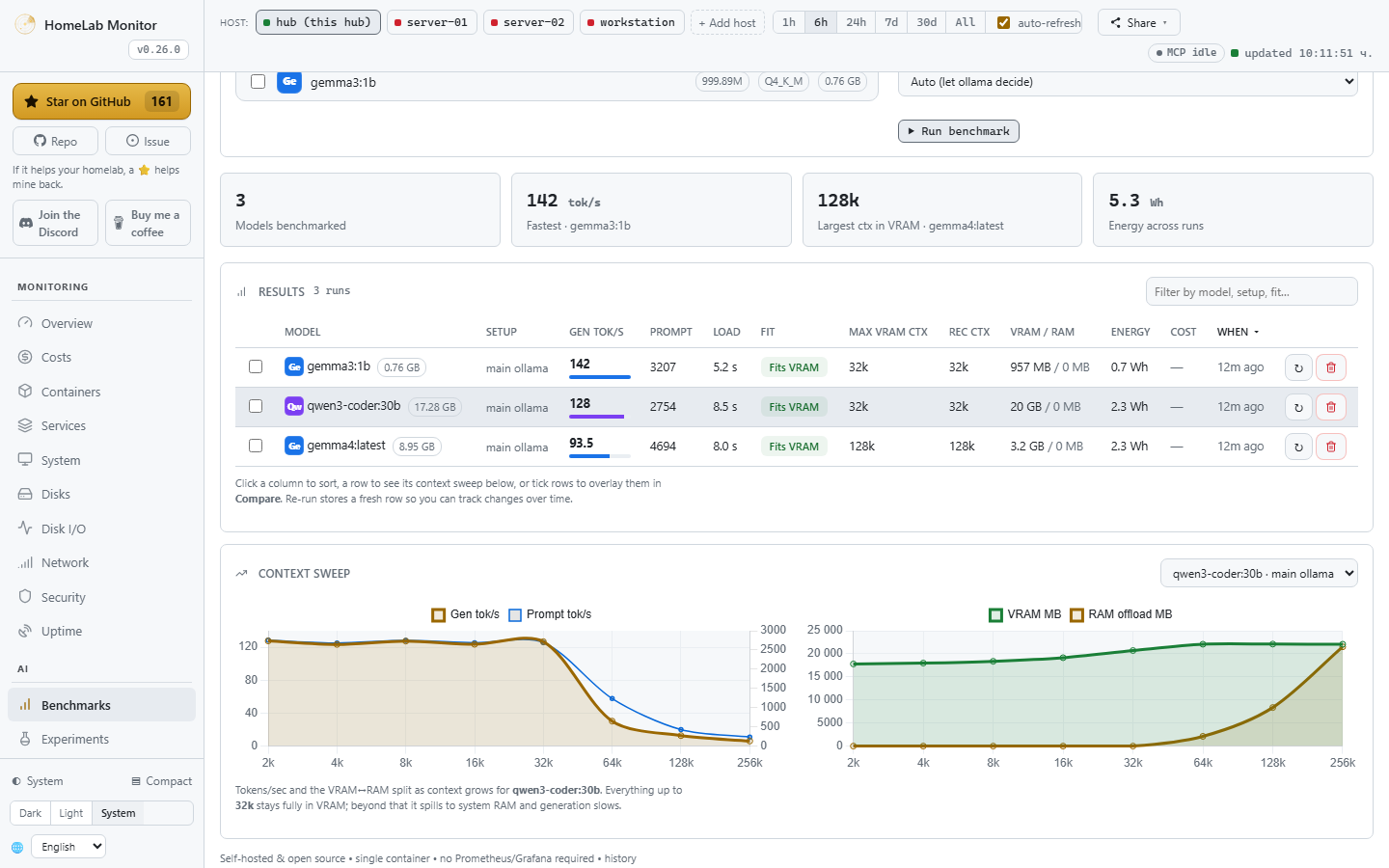
- benchmarking local Ollama models
- container management
- systemd service monitoring
- disk treemaps
- uptime monitoring
Details
- Last Updated
- Oct 27, 2026
- Created
- May 25, 2026
- Install Methods
- docker-composesource
- Requirements
- SSHPython 3PowerShell on Windows
- Authentication
- local
- API
- REST
- Backup & Export
- api-export
- Privacy & Independence
- No TelemetryNo Cloud RequiredOffline Capable
- Deployment
Deployment: Docker Compose ✓Single Container — minimal hosting footprintsingle container
Run homelab-monitor with Docker Compose
Compose file from the homelab-monitor project repository.
1 service
no resource limits declared
needs persistent storage (5 volumes)
docker-compose.yml · @ 047880f · scanned Oct 27, 2026
services:
  homelab-monitor:
    build: .
    # MONITOR_IMAGE lets the self-update helper pin an exact image (the versioned tag for the upgrade, the previous digest for rollback); default is identical to before for a normal `docker compose up`.
    image: ${MONITOR_IMAGE:-sikamikaniko123/homelab-monitor:latest}
    container_name: homelab-monitor
    restart: unless-stopped
    # host networking lets it reach any model server's API (Ollama/vLLM/TGI/…)
    # and bind the dashboard directly on the host; pid:host maps GPU PIDs->containers.
    network_mode: host
    pid: host
    # Share the host's cgroup namespace so /proc/<pid>/cgroup shows real host
    # paths (e.g. /system.slice/pihole.service). Without it the container gets a
    # private cgroup namespace where those paths are virtualised (0::/../../…),
    # so the Services tab can't attribute a forking service's listening port to
    # the child PID that actually owns it (Pi-hole FTL, dnsmasq, libvirtd → :53).
    cgroup: host
    # SYS_PTRACE lets us resolve /proc/<pid>/fd/* symlinks for processes we
    # don't own, which is what powers the Services tab's Ports column (we
    # join /proc/net/tcp listen-inodes back to MainPID). Common in monitoring
    # stacks; the container is already otherwise host-privileged.
    cap_add:
      - SYS_PTRACE
    # Docker's default AppArmor profile (`docker-default`) denies ptrace
    # access even when CAP_SYS_PTRACE is granted, blocking the readlink()s
    # above. Opting this container out of AppArmor lets the cap actually
    # take effect.
    security_opt:
      - apparmor=unconfined
    environment:
      # GPU is auto-detected, never required. These env vars let the NVIDIA
      # container runtime inject nvidia-smi *when it's present*; on a host with no
      # GPU (or no nvidia runtime) they're simply inert and the dashboard runs
      # without the GPU panels. This is why there's no hard `deploy.devices`
      # reservation below — that would refuse to start on a GPU-less host.
      #
      # IMPORTANT: these env vars only take effect when nvidia is Docker's
      # *default* runtime. On stock Ubuntu/Debian/Mint the default is `runc`, so
      # GPU containers normally opt in per-container with `--gpus all` — this one
      # doesn't, so on those hosts the GPU goes undetected until you do ONE of:
      #
      #   A) Don't change the global default — bring it up with the GPU override:
      #        docker compose -f docker-compose.yml -f docker-compose.gpu.yml up -d
      #
      #   B) Make nvidia the default runtime, then RECREATE this container
      #      (a plain restart keeps the old runtime, so the change "does nothing"):
      #        sudo nvidia-ctk runtime configure --runtime=docker --set-as-default
      #        sudo systemctl restart docker
      #        docker compose up -d --force-recreate
      NVIDIA_VISIBLE_DEVICES: all
      NVIDIA_DRIVER_CAPABILITIES: utility   # injects nvidia-smi into the container
      PORT: "9800"                          # dashboard served on 0.0.0.0:9800 (LAN/VPN reachable)
      MCP_PORT: "9810"                       # built-in read-only MCP server on 0.0.0.0:9810/mcp
      # PUBLIC_STATUS: "1"                   # uncomment to enable the public read-only status page
      # ENABLE_MCP: "0"                      # uncomment to run the dashboard without the MCP server
      # MCP_ALLOWED_HOSTS: "YOUR-HUB:9810"  # lock the MCP HTTP transport to specific Host headers
                                            # (host:* wildcards ok). Unset = reachable from anywhere
                                            # on your homelab (default; safe — MCP tools are read-only).
      SAMPLE_INTERVAL: "10"                 # seconds between samples
      RETENTION_DAYS: "180"                 # how long history is kept
      PRESSURE_FREE_MB: "2048"              # free VRAM below this counts as "pressure"
      HOST_ROOT: "/rootfs"                  # where host / is mounted (for disk stats)
      # Tell jeepney where the host's systemd D-Bus socket is (mounted below).
      DBUS_SYSTEM_BUS_ADDRESS: "unix:path=/run/dbus/system_bus_socket"
      # WATCH_CONTAINERS: "ollama,immich_machine_learning"  # extra containers to scan for OOM
      # WATCH_SERVICES: "tailscaled,sshd"   # always show these systemd units, even if vendor-shipped
      # ALLOW_SELF_UPDATE: "0"   # the one-click self-update button is ON by default — set to "0" to turn it off
      # ENABLE_CONTROLS: "0"     # container/service start/stop/restart controls are ON by default — set to "0" to turn them off
    volumes:
      # Read-write: powers container health/names/model APIs AND (by default,
      # see ENABLE_CONTROLS/ALLOW_SELF_UPDATE above) the one-click self-update
      # and the Containers tab's start/stop/restart/restart-policy actions.
      # Use docker-compose.readonly.yml to lock this back down to :ro.
      - /var/run/docker.sock:/var/run/docker.sock
      - /:/rootfs:ro                                    # read-only host fs for disk usage
      - /sys/class/powercap:/sys/class/powercap:ro      # RAPL CPU/DRAM power counters
      - ./data:/data                                    # SQLite history persists here
      # systemd service health + (by default) service controls. Read-write for
      # the same reason as the docker socket above — see docker-compose.readonly.yml
      # to lock it down, or remove this line entirely and the Services panel
      # just shows "unavailable".
      - /run/dbus/system_bus_socket:/run/dbus/system_bus_socket
    # NOTE: intentionally no `deploy.resources.reservations.devices: nvidia` here.
    # A hard GPU reservation makes `docker compose up` fail on any host without the
    # NVIDIA runtime — the monitor is useful without a GPU, so we let it start
    # everywhere and auto-use the GPU via the NVIDIA_* env vars above when present.
    #
    # The read-only MCP server is built into this same image and served on
    # $MCP_PORT (9810) — host networking above already exposes it. Connect with:
    #   claude mcp add --transport http homelab http://YOUR-HUB:9810/mcp
    # See https://sikamikanikobg.github.io/homelab-monitor/mcp/.
This file may be out of date. Check the homelab-monitor documentation for current setup steps.
Track your self-hosted stack
Bookmark software to try, rate tools you've used, and keep your collection in one place.
Metadata extracted from README on Oct 27, 2026
Related Software

Langflow
156.0k
Langflow is a platform for building and deploying AI-powered agents and workflows with a visual builder, API deployment, and MCP server support.
Low Code DevelopmentAutomation ToolsModel Context Protocol+2
11 Containers
Context7
63.7k
Context7 provides up-to-date, version-specific library documentation and code examples for LLM prompts via a CLI skill flow or MCP server.
Model Context ProtocolArtificial IntelligencePermissive License+2

oh-my-pi
36.7k
A coding agent with the IDE wired in.
AI Coding AssistantAI AgentsModel Context Protocol+1
2 Containers

honcho
7.8k
Honcho is a memory infrastructure service for building stateful agents that store, reason over, and query changing relationships and session context over time.
AI AgentsAI RAG SystemsAI Tooling+1
4 Containers

openclaude
34.2k
OpenClaude is an open-source terminal-first coding agent CLI for cloud and local model providers.
AI Coding AssistantAI AgentsAI Tooling+1

OpenSandbox
16.2k
OpenSandbox is a platform for running AI agents in isolated sandboxes on local machines or Kubernetes clusters.
AI AgentsAI ToolingModel Context Protocol+2
2 Containers

LLM Harbor
3.3k
Harbor is a CLI and companion app for spinning up and managing a local LLM stack with pre-wired services like Open WebUI, llama.cpp, Ollama, vLLM, SearXNG, Speaches, and ComfyUI.
Artificial IntelligenceLocal LLMsAI Tooling+5

Kong
44.3k
Kong Gateway is a cloud-native API, LLM, and MCP gateway for proxying, routing, load balancing, authentication, and plugin-based traffic control.
API ManagementArtificial IntelligencePermissive License+3
2 ContainersOpen Core

mastra
29.1k
Mastra is a TypeScript framework for building AI-powered applications, agents, workflows, and MCP servers.
Artificial IntelligenceAI AgentsAI Tooling+4
2 ContainersOpen CoreNot FOSS

flue
8.5k
Flue is a TypeScript framework for building autonomous agents with a programmable harness, tools, skills, sandboxes, and deployment options.
AI AgentsAutomation ToolsAI Tooling+1

onecli
3.6k
OneCLI is an open-source gateway that sits between AI agents and external services to inject and manage API credentials securely.
AI AgentsSecret ManagementModel Context Protocol+1
2 Containers

ollaya
1.4k
Ollaya runs open decision models locally and provides Ollama-like CLI, daemon, and API access for model serving.
Artificial IntelligenceLocal LLMsInference Serving+2